









Auralvessa home Open the app
Guide

Meet the Deck. Then make a Scape of your own.

The Deck is where you listen. Compose is where you shape: a Circular Sequencer, five Channels and one Chord Sequence, all adjusted by ear.

The Deck: one calm screen

Everything you need while listening sits on one screen, comfortable in the dark and one-handed.

Play and Surprise

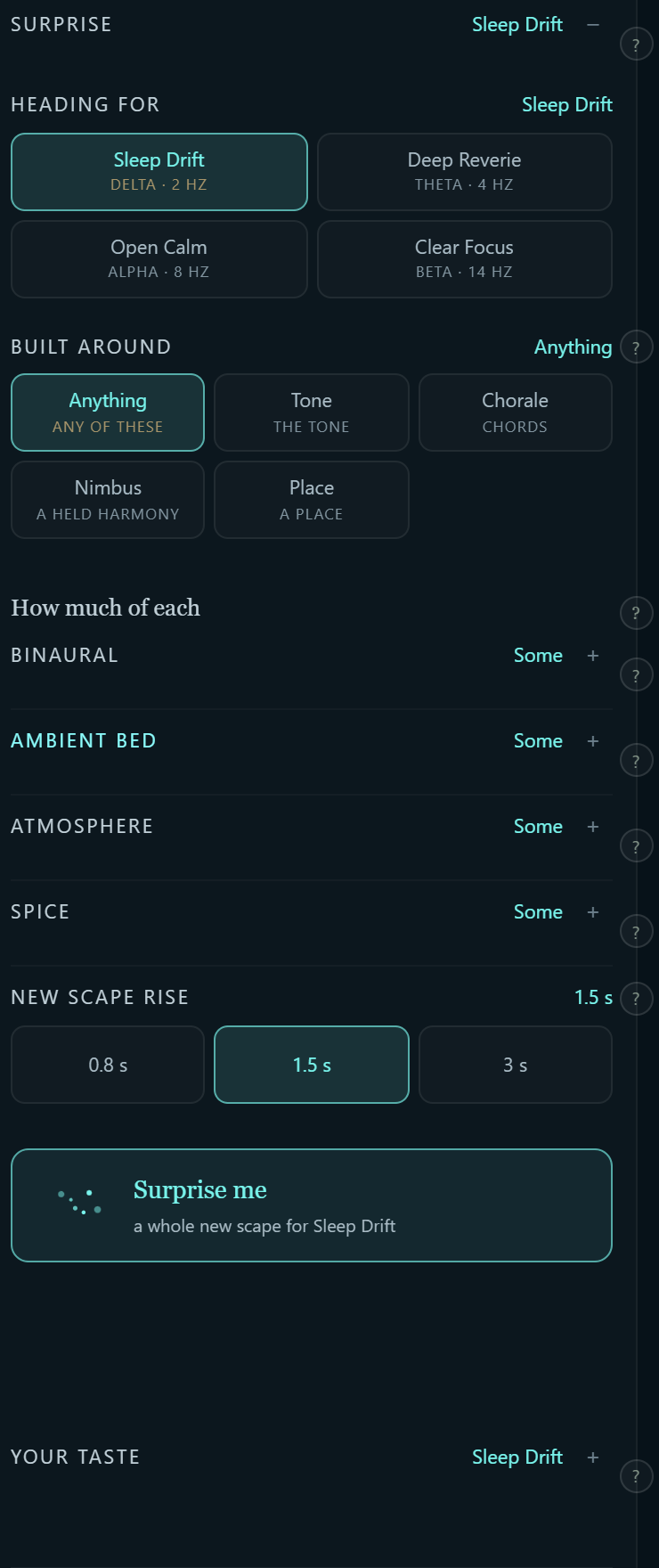
Play starts the current Scape. Surprise builds a whole new one, varied from pieces you already like.

Back

Changed your mind? Back returns to what you had, one step at a time.

Your mix

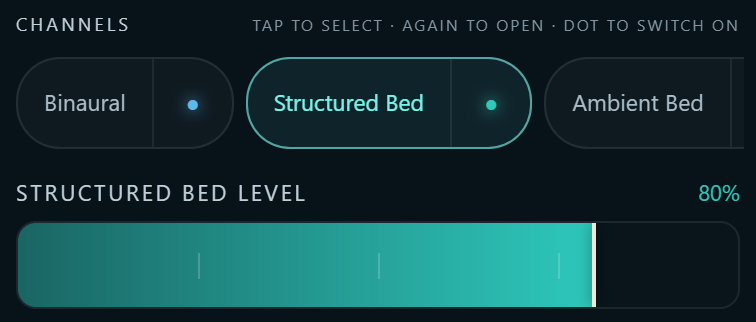
Each Channel has a tile. Tap to select it, tap again to open it, and use its dot to switch it on or off.

Save and Library

Keep a Scape you love, and find it again under Your Scapes, beside the built-in Originals.

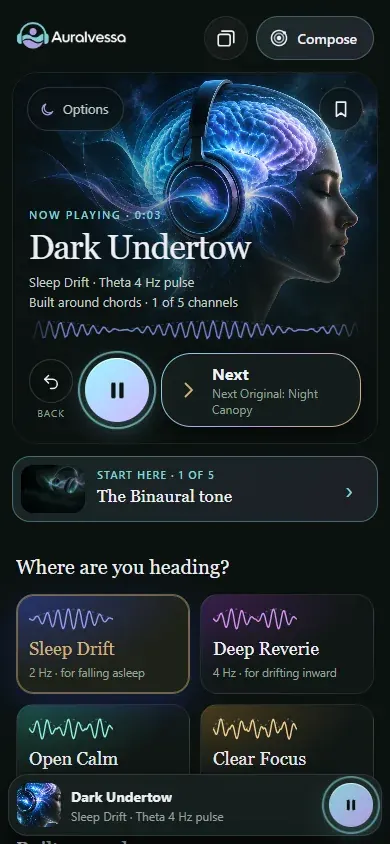
The Auralvessa Deck playing a piece

Where are you heading?

Choose a direction and Surprise composes for it. These are listening intentions, not promises about what a sound will do.

Sleep Drift astral soundscape

Sleep Drift

Low, slow and spacious, for the last part of the evening.

Deep Reverie warm ambient light

Deep Reverie

Warm and unhurried, for sinking into a long listen.

Open Calm luminous ocean waves

Open Calm

Lighter and more varied, for settling while awake.

Clear Focus celestial neural meditation

Clear Focus

Steady and uncluttered, for reading or work.

The Circular Sequencer A ring of four chord steps placed around one revolution, with a hand that sweeps round and plays each chord as it passes. I IV vi V 1.3 BAR · BEAT

Compose: harmony on a ring

A Scape is laid out on a circle. Chord Steps sit around one revolution, and a hand sweeps round and plays each one as it passes.

Revolution is how many bars one turn lasts. Longer turns give slower, drone-like pieces.

Tempo sets how fast the hand moves. Chord Steps can be dragged around the ring to change when they arrive.

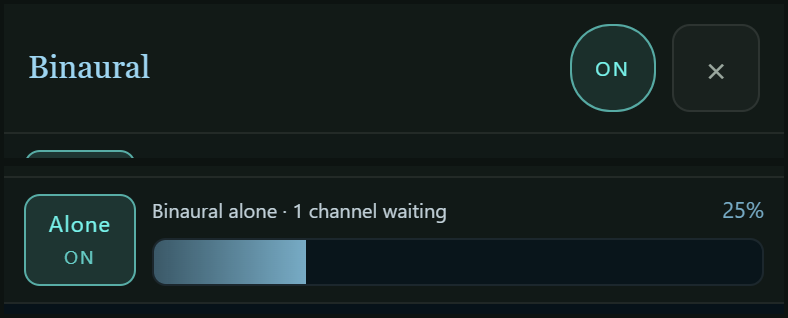
Listening Alone lets you hear one Channel while you shape it, and every change can be stepped back.

Five Channels, one piece

Each Channel is a separate layer with its own level. Balance them to taste; any of them can be switched off.

Binaural Channel artwork

Binaural

A steady tone you hear as a gentle slow pulse. Paired tones, one per ear, are best on headphones.

Structured Bed Channel artwork

Structured Bed

Harmony with a visible pattern: the chords on the ring, played by Tapestry or Mosaic instruments.

Ambient Bed Channel artwork

Ambient Bed

A continuous wash that holds the room together. It can follow the Structured Bed's chords or hold its own.

Atmosphere Channel artwork

Atmosphere

A place around you: a recorded world, or a built one made from shaped noise.

Spice Channel artwork

Spice

Rare, distant notes that drift in from the harmony, kept quiet on purpose.

The Official User Manual

A control-by-control reference for Compose Mode, meticulously verified against the audio engine. Every parameter has its own permanent anchor for in-app tooltips.

A–Z Control Index & Directory (75 Controls)
The Circular Sequencer and Transport Banner

The Circular Sequencer organizes time on an orbit. The central playhead sweeps continuously through five concentric Channel rings, synchronizing chord changes, ambient transitions, and master dynamics.

Revolution (Bars per Turn)

Ring Timing
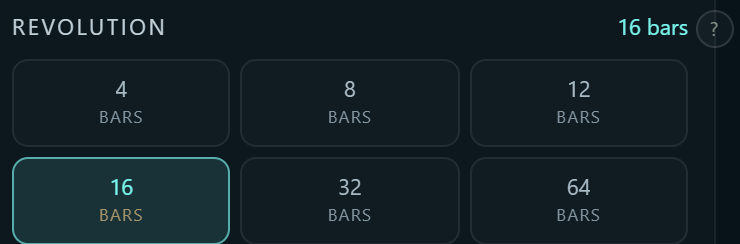
Revolution (Bars per Turn) control

How long one full trip around the ring takes. Pick 4 or 8 bars if you want your chords to loop back around fairly quickly. Pick 32 or 64 bars when you want a super slow, unhurried loop that takes several minutes to come back around.

Why it's cool · How it works
A repeating sound can feel restful, but when a loop is too short you may start anticipating it. Stretches of 32 or 64 bars give you room to stop predicting the next note and sink into the sound.
Tempo (BPM)

Transport
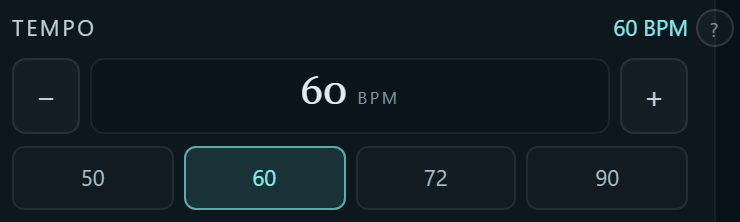
Tempo (BPM) control

Controls how fast the playhead sweeps around the ring. Tap the buttons or slide the number to speed up or slow down the whole groove.

Why it's cool · How it works
At 60 BPM, every beat is exactly one second, which matches a calm resting heart rate. When you drop down to 50 or 30 BPM, every chord hangs in the air twice as long like smoke in a sunlit room, without changing where your notes sit on the wheel.

Snap (Ring Grid)

Timing
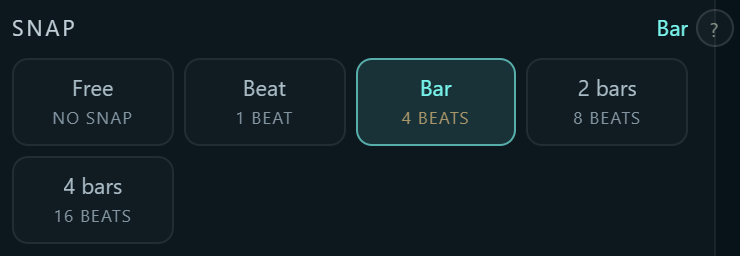
Snap (Ring Grid) control

Like magnetic grid snap in a drawing app or video editor. Bar snap locks your dropped chords to the first beat of each bar, keeping everything in time. Switch to Free if you want to slide a chord between beats for a lazy, floating feel.

Why it's cool · How it works
A steady pulse gives your ear landmarks. Keeping chords snapped to the grid prevents clumsy collisions where two chords land on top of each other, while Free snap lets you create offbeat pickups that feel human.

Step Editor / Chord Deck (Roll, Octave & Balance)

Ring Editor
Step Editor / Chord Deck (Roll, Octave & Balance) control

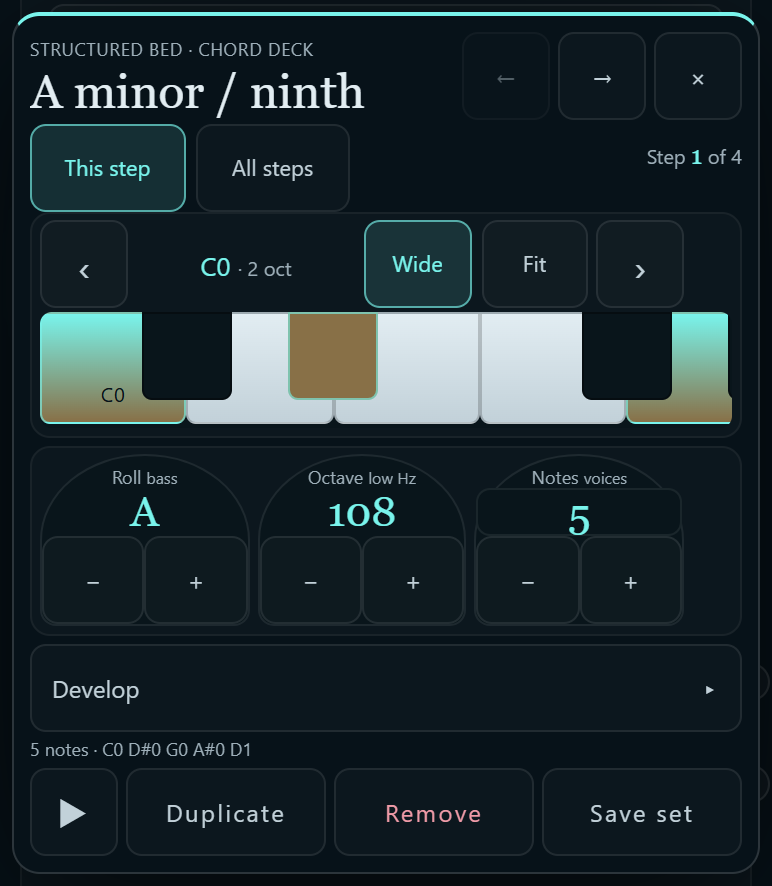
Tap any chord bubble on the ring to open its mini editor. Here you can roll the chord upside down (inversion), bump it up or down an octave, tweak its loudness, or duplicate it across the bar.

Why it's cool · How it works
Hearing the exact same chord voiced the same way over and over can get boring. Rolling a chord so a different note is on top, or making one step slightly quieter than the others, gives your loop natural variety without having to invent new chords.

Listening Alone (Solo Track)

Bench
Listening Alone (Solo Track) control

The solo button! Tap it on any track to mute all the other layers instantly so you can hear that one sound by itself. Tap it again to bring the rest of the band back into the room.

Why it's cool · How it works
When four or five thick synth pads and soundscapes are playing together, it's hard to tell which layer is adding that fuzzy bass or sparkle. Soloing lets you zoom in, sculpt the sound perfectly, and then un-solo to hear how it sits in the full mix.

Channel Level vs. Master

Mixer
Channel Level vs. Master control

The volume strip for whichever Channel you have selected on the ring. Tap the level bar or the + and – buttons to bring a layer forward, or step it down so it sits like a gentle whisper behind your chords.

Why it's cool · How it works
Great mixes aren't about making everything loud—they're about depth. Bringing bass and chords forward while tucking nature sounds into the far background makes your headphones feel like a huge three-dimensional room.

Step Back (Undo / History)

History
Step Back (Undo / History) control

The trusty undo button, which always names the exact change it will revert. If you try a new setting or chord that changes the vibe too much, tap Undo to jump right back to how things sounded a moment ago.

Why it's cool · How it works
Creativity happens when you feel safe experimenting. Knowing you can always step back through your session lets you push settings to wild extremes and discover happy accidents without worrying about losing your work.

Store, Originals & Carry File

Library
Store, Originals & Carry File control

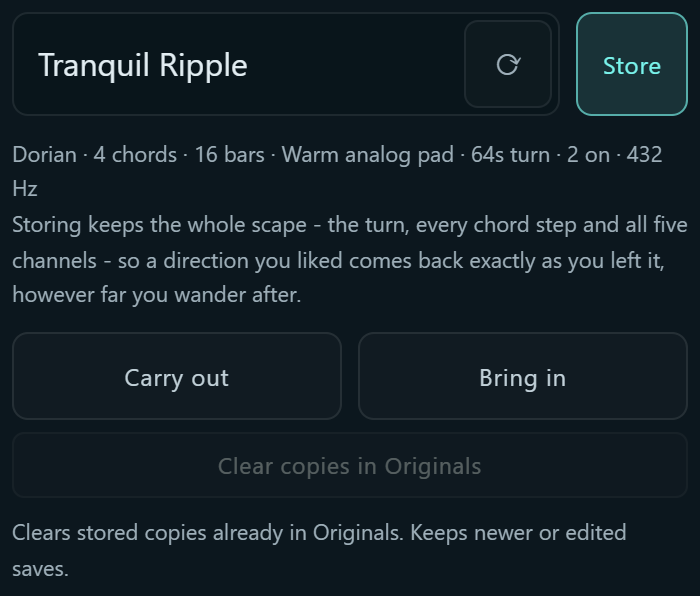
Save your masterpiece into your device's library. You can name your creation, keep it in your favorites, or export a portable file to send to a friend or load onto your phone.

Why it's cool · How it works
Your creations are saved as lightweight recipe files that store your chord choices, instrument settings, and effects rather than huge audio recordings. That means they load in a blink and take up almost zero storage space.

Surprise & Channel Re-spin

Generative
Surprise & Channel Re-spin control

The magic remix button! Tap the big Surprise button to let Auralvessa roll fresh chords, sounds, and rhythms based on your selected mood, or tap a channel's re-spin button to swap out just that one layer while playback keeps rolling.

Why it's cool · How it works
Instead of totally random noise, Surprise follows thoughtful rules for harmony and tone. It picks chords that share friendly notes, tunes instruments into their sweetest zones, and balances volume automatically so every surprise sounds intentional and lush.

Output (Smooth / Responsive, Room & Shared Limiter)

Master Output
Output (Smooth / Responsive, Room & Shared Limiter) control

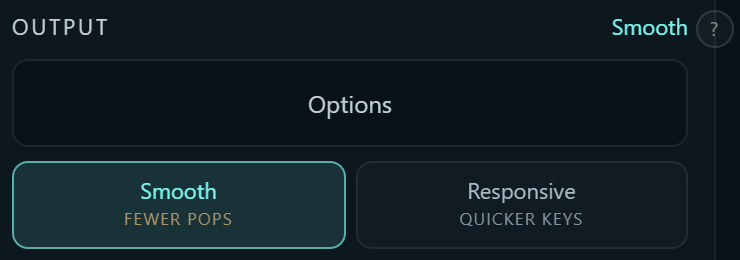
Tunes how the app plays on your device and in your space. Pick your listening environment (Living room, Bedroom, Car, Desk, or Outdoors), choose Smooth so busy phones never crackle (or Responsive for instant key-press feedback), and let the built-in master limiter automatically keep all five Channels from clipping.

Why it's cool · How it works
Smooth mode gives your phone a tiny fraction of a second of extra breathing room to prepare complex synth layers so the sound stays silky even with the screen off. Meanwhile, the shared output bus quietly catches volume peaks whenever all five Channels swell together, so you never hear harsh digital distortion.

Graphic Equaliser & Bass Roll-Off

Master EQ
Graphic Equaliser & Bass Roll-Off control

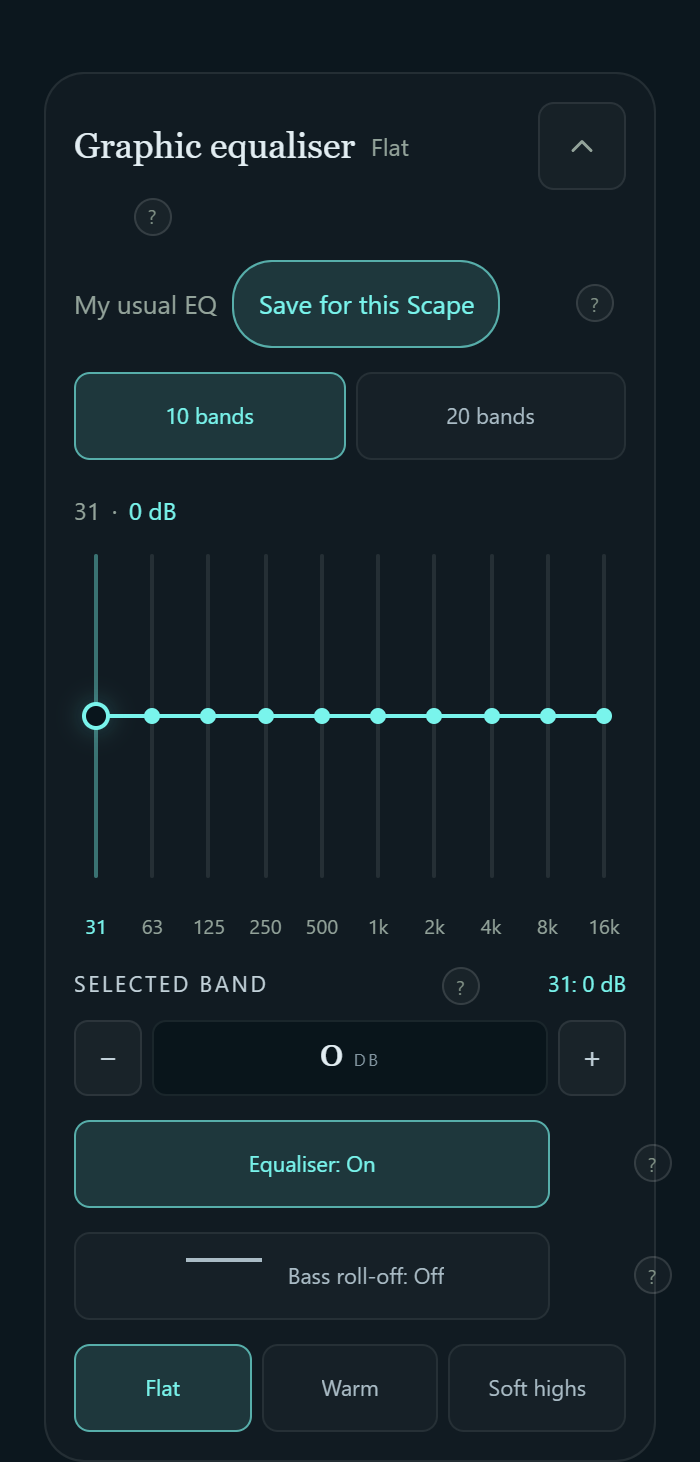
A 10 or 20-band graphic EQ to tune the overall sound to your ears or headphones, plus a one-tap bass roll-off button that trims deep rumble below 120 Hz.

Why it's cool · How it works
Every pair of headphones colors sound differently—some have boomy bass, others have sharp treble. Sliding the frequency bands lets you tailor the sound to your gear, while the 120 Hz bass cut keeps tiny phone speakers from buzzing on sub-bass notes.
Binaural Channel Banner

The Binaural Channel generates continuous acoustic beat frequencies and pure tonal references. Tones are anchored mathematically to the carrier frequency so beds and pulse remain harmonically aligned.

Pulse Rate (Reaching For) & Resonance Vector

Binaural Beat
Pulse Rate (Reaching For) & Resonance Vector control

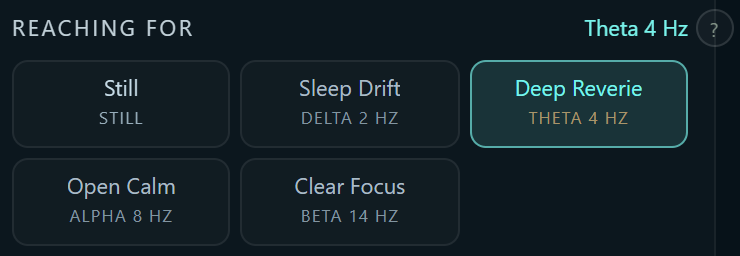
Four distinct brainwave frequencies tuned for your mood: Sleep Drift (deep delta rhythm), Deep Reverie (dreamy theta), Open Calm (relaxed alpha), and Clear Focus (alert beta). Tap one to set the pulse speed instantly.

Why it's cool · How it works
When your left ear hears a slightly different tone than your right ear, your brain bridges the gap by creating a third rhythmic pulse inside your head. Slower pulses help you drift into dreamland, while faster pulses keep you dialed in while studying or writing.

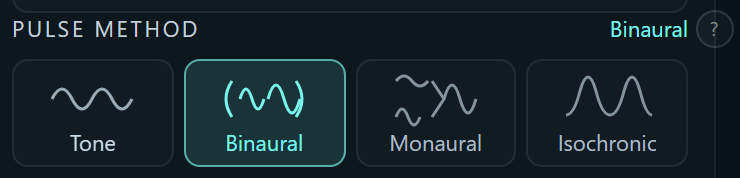
Pulse Method (Tone / Binaural / Monaural / Isochronic)

Entrainment
Pulse Method (Tone / Binaural / Monaural / Isochronic) control

Switches between true Binaural Beats (which require headphones) and Isochronic Pulses (which pulse clearly through open speakers or phones without needing headphones).

Why it's cool · How it works
Binaural beats rely on stereo separation because your brain creates the illusion of the beat by combining both ears. Isochronic tones turn the volume up and down in distinct rhythmic waves, so the pulse works even on a mono speaker on your nightstand.

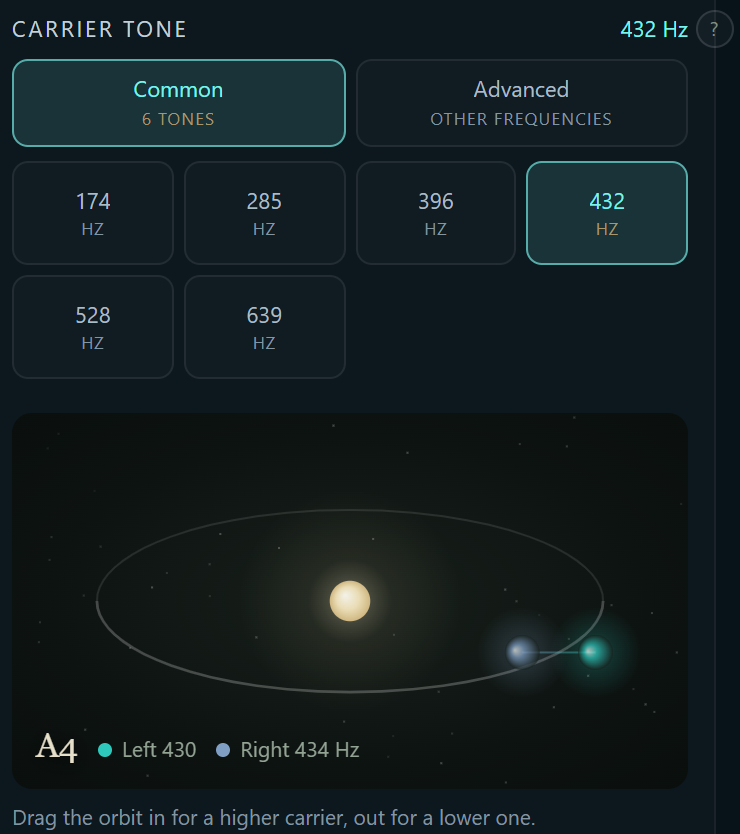
Carrier Tone (Hz)

Carrier Tuning
Carrier Tone (Hz) control

Sets the pitch of the background drone hum (like 108 Hz, 136.1 Hz, or 200 Hz). Tap a frequency preset or drag the glowing orbit ring inward or outward to choose a warm low hum or a brighter singing pitch.

Why it's cool · How it works
Lower pitches around 100 Hz feel warm and grounded in your chest, perfect for meditation and sleep. Higher carriers near 200–400 Hz feel airy and bright, cutting through background noise when you need sharp focus.

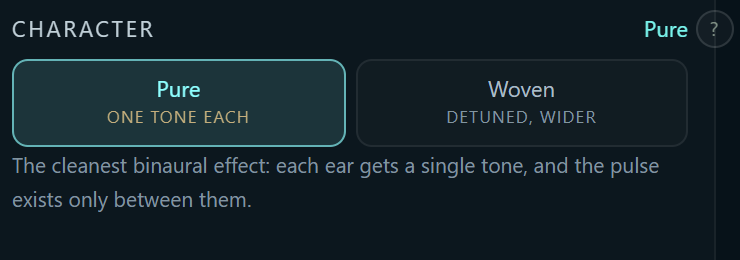
Character (Pure vs. Woven)

Timbre
Character (Pure vs. Woven) control

Switches between a pure Sine tone (super clean, smooth, and glassy) and Woven (a richer, harmonically layered tone that blends naturally into acoustic instruments).

Why it's cool · How it works
A pure sine wave is the simplest sound in physics—it has no overtones at all, like tuning a laboratory oscillator. Woven adds subtle harmonic warmth, making the beat feel like an organic, layered drone rather than a test tone.

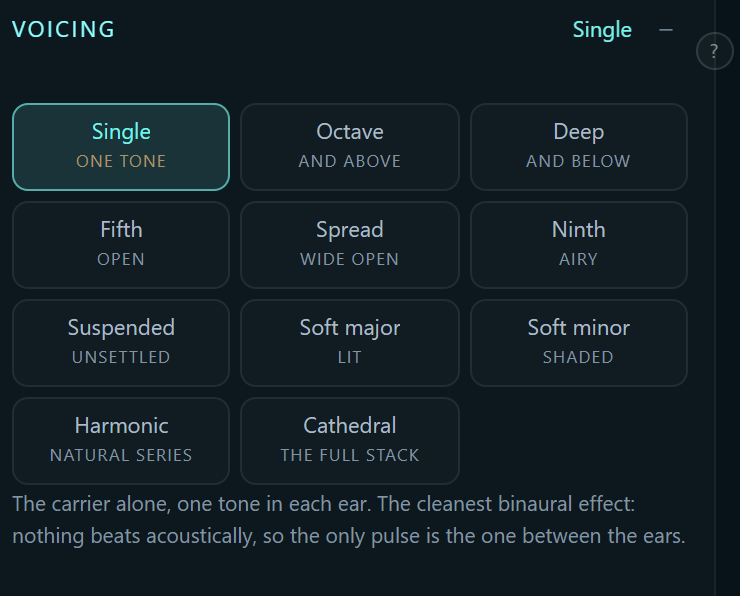
Voicing (Single to Seventh)

Voicing
Voicing (Single to Seventh) control

Chooses whether the carrier plays as a single deep fundamental note or spreads across octaves and fifths for a rich, orchestral organ feel.

Why it's cool · How it works
Playing a pure fifth or octave above the root note tricks your ear into hearing a much fuller sound without adding conflicting notes that clash with your chords.

Tone & Softness (Sine / Triangle / Sawtooth & Isochronic Edge)

Wave Shape
Tone & Softness (Sine / Triangle / Sawtooth & Isochronic Edge) control

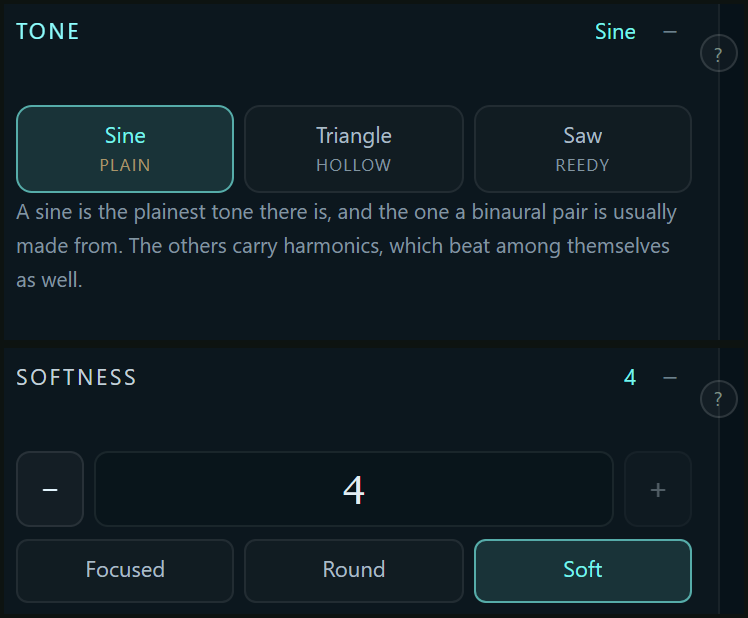
Tone picks the wave shape of the drone itself (Sine for the smoothest all-night listen, Triangle for hollow flute warmth, or Sawtooth for a brighter reedy edge). When your Pulse Method is set to Isochronic, Softness (Focused, Round, or Soft, 1–4) also appears right below it to round off the pulse edges.

Why it's cool · How it works
A sine wave is a single pure vibration with no extra upper buzz, while Triangle and Sawtooth add upper harmonics that help the tone come through on small speakers. And in Isochronic mode, stepping Softness up turns a crisp rhythmic pulse into a gentle ocean-like swell.

Beat Depth (Pulse Intensity)

Depth
Beat Depth (Pulse Intensity) control

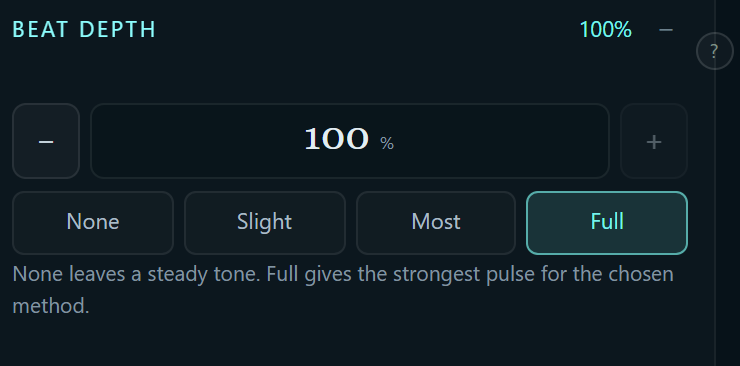
Controls how strong the pulsing effect is (None, Slight, Most, or Full, 0–100%). Step it up when you want to clearly feel the pulse in your headphones, or step it down for an ultra-subtle background hum.

Why it's cool · How it works
Full depth puts the entire signal into the pulsing pair so the beat is unmistakable. Stepping depth down blends in a steady center tone so the pulse stays gentle and unobtrusive.

Tone Only (Switch)

Monitoring
Tone Only (Switch) control

The quick-check button for your tone. Tap it to stash the rest of the mix and hear pure tone alone in your headphones; tap it again to restore all your instruments exactly as they were.

Why it's cool · How it works
Finding the exact right pitch for your carrier is tricky when guitars, strings, and ocean waves are playing. Tone Only gives you an instant solo moment to verify your pitch, then restores your balance with zero fuss.
Structured Bed Harmony Banner

The Structured Bed delivers harmonic structure using modal scales, chord catalogues, or direct keyboard capture, shaped by sophisticated voicing, interval spreading, and note-balancing algorithms.

Controller Methods (Degrees / Browser / Keyboard)

Harmonic Input
Controller Methods (Degrees / Browser / Keyboard) control

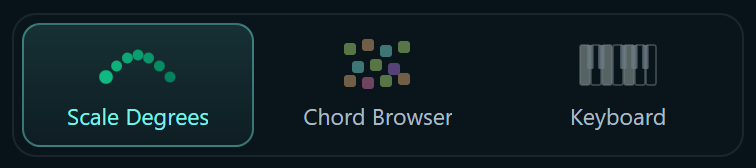
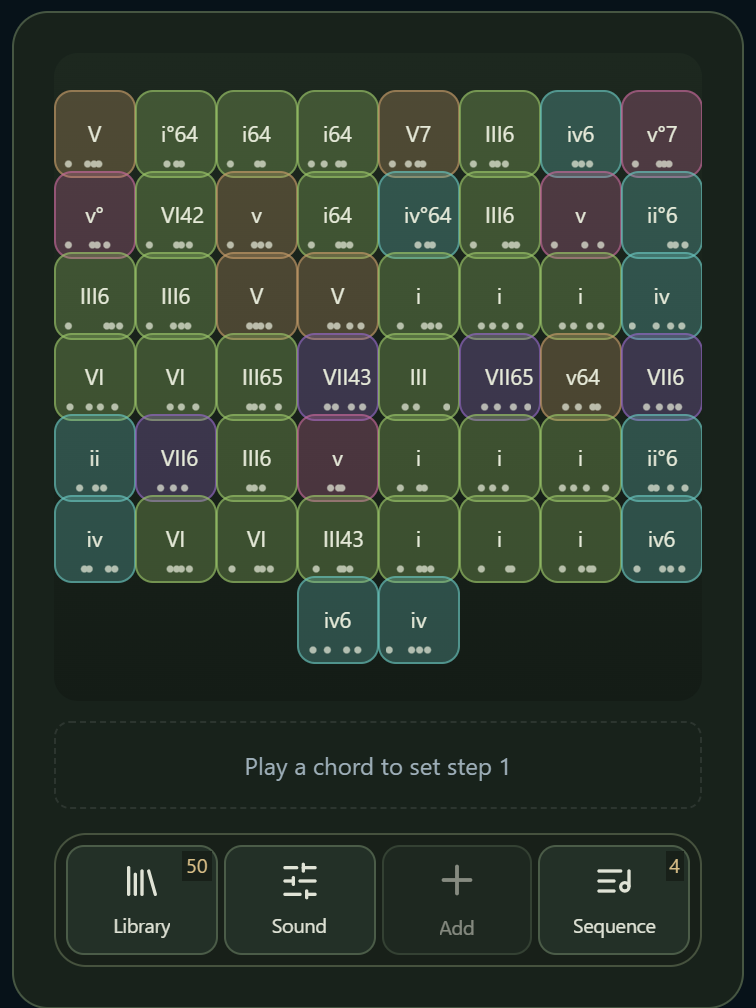
Choose how you want to build chords. 'Degrees' lets you tap Roman numerals in your chosen scale, 'Browser' offers a colorful 3D cloud of curated chord moods, and 'Keyboard' lets you play notes by hand.

Why it's cool · How it works
Different tools offer different ways to shape the sound. Scale degrees keep you in key like training wheels, the browser helps you discover jazz and cinematic harmonies you might not find on a piano, and the keyboard gives you total hands-on freedom.

Scale Degrees & Modes

Diatonic Scale
Scale Degrees & Modes control

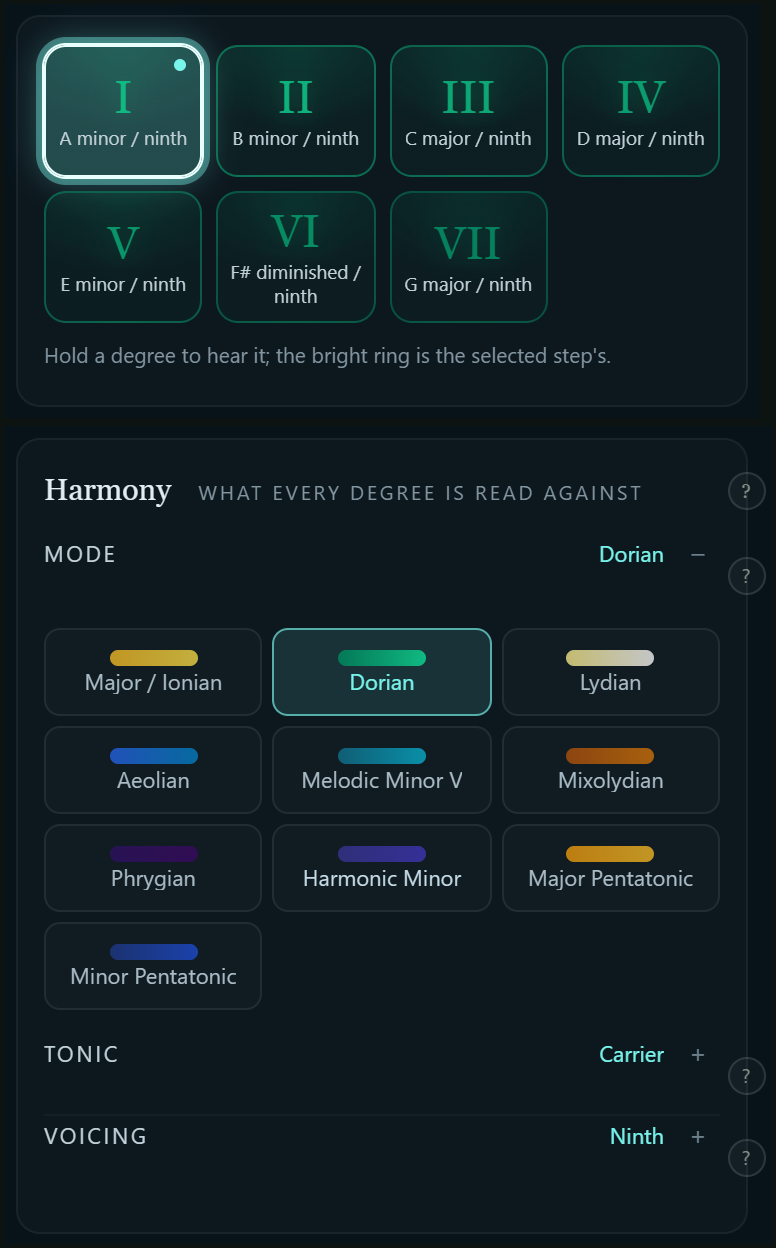
Tap Roman numerals (I, II, III, IV, etc.) to pick chords that fit together naturally in your selected Mode (like bright Lydian, happy Major, moody Dorian, or dark Phrygian).

Why it's cool · How it works
Modes are like emotional color palettes. Major feels bright and sunny, Minor feels sad, Dorian feels like vintage soundtrack mystery, and Lydian feels dreamy and weightless. Roman numerals make sure every chord you tap stays locked in that mood.

Chord Browser & Cloud Capture

Preset Harmony
Chord Browser & Cloud Capture control

A visual playground of rich chord blocks grouped by vibe (Dreamy, Mysterious, Floating, Warm). Tap any cube to audition it live, then tap Capture to place it in your song.

Why it's cool · How it works
Professional movie composers use complex chords with extensions like 9ths and 11ths that add gorgeous tension. The browser puts these advanced harmonic colors at your fingertips without years of formal study.

Keyboard Pitch Capture

Direct Note Entry
Keyboard Pitch Capture control

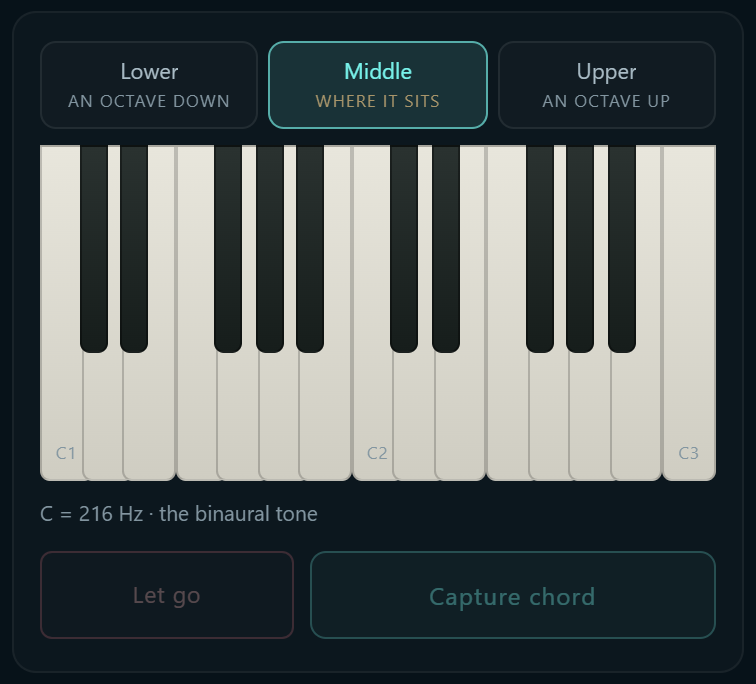
An interactive on-screen piano keyboard. Tap notes to hear them, build custom voicings with your fingers, and hit Write to drop your custom chord onto the timeline.

Why it's cool · How it works
Sometimes you have a specific harmony in your head that isn't in a preset. The keyboard lets you stack whatever bizarre cluster of intervals you want and saves it directly to your piece.

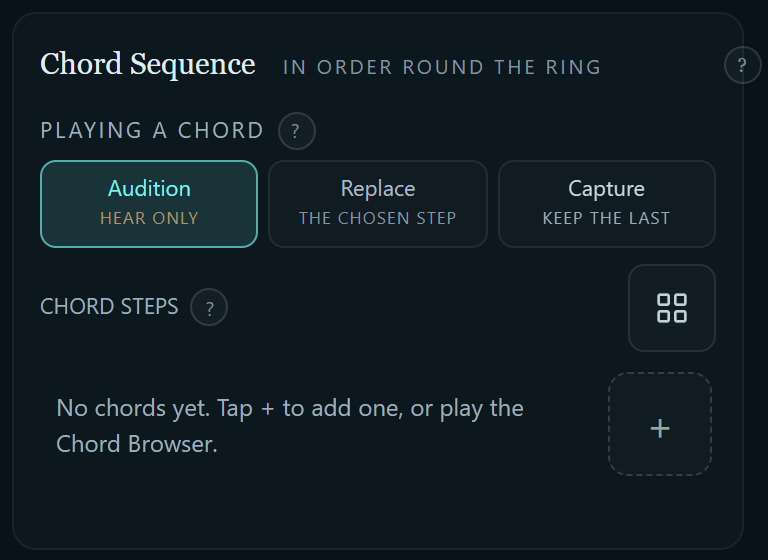
Chord Sequence Strip

Timeline Cards
Chord Sequence Strip control

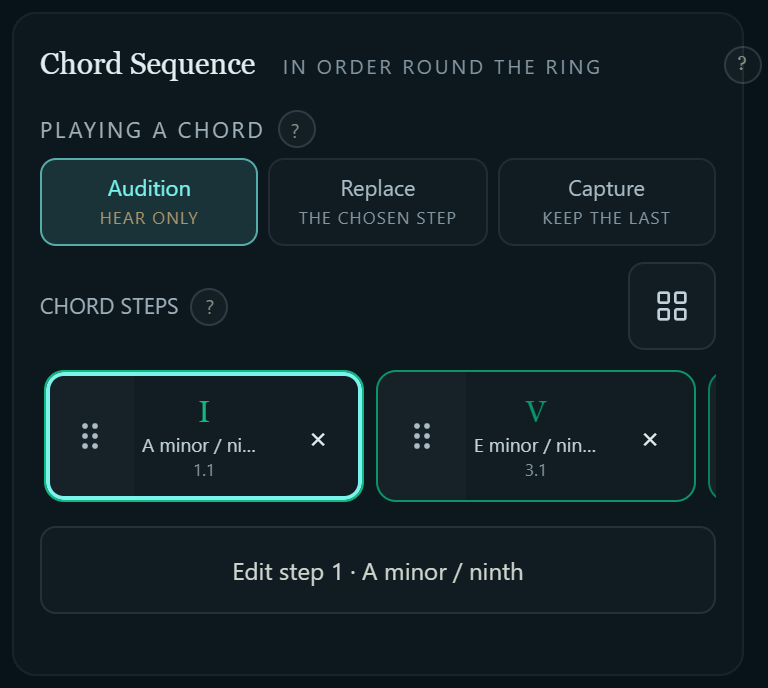
The chord progression strip across the screen. Shows every step in your song from start to finish. Tap any step to jump to it, drag to reorder, or duplicate steps to lengthen your cycle.

Why it's cool · How it works
A chord progression gives the piece a sense of direction—tension builds, then resolves. Laying the chords out visually makes it easy to see where the piece is heading and spot any transitions that feel rushed.

Register (Bass to Air)

Octave Tuning
Register (Bass to Air) control

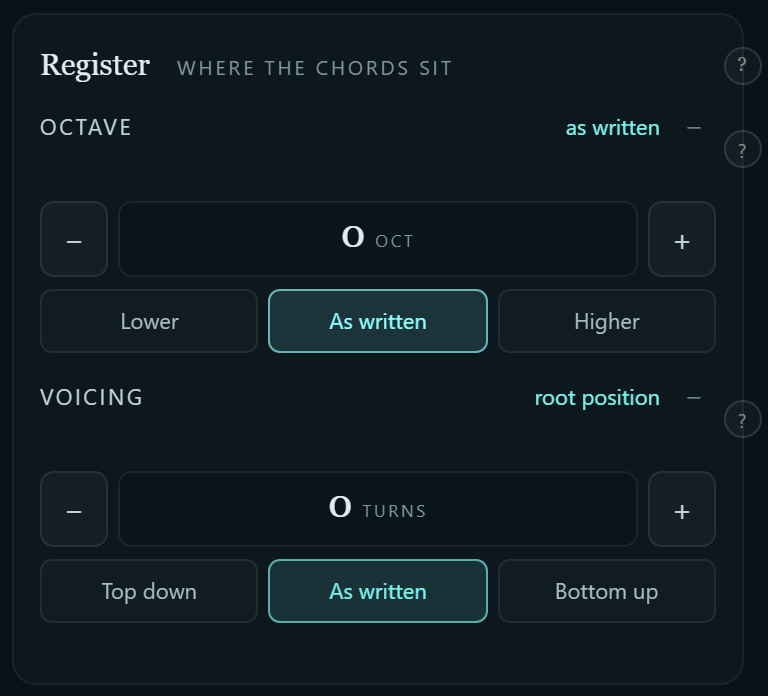
Sets how deep in the bass or how high in the air your chords sit. Drag to shift the root note between deep rumble and shimmering upper registers.

Why it's cool · How it works
Bass notes below 60 Hz can turn into undefined mud on small headphones, while notes above 200 Hz lose their body. The register control centers your chord roots right in the sweet spot (60–180 Hz) where bass feels rich and solid.

Spread (Chord Note Spacing)

Voicing Space
Spread (Chord Note Spacing) control

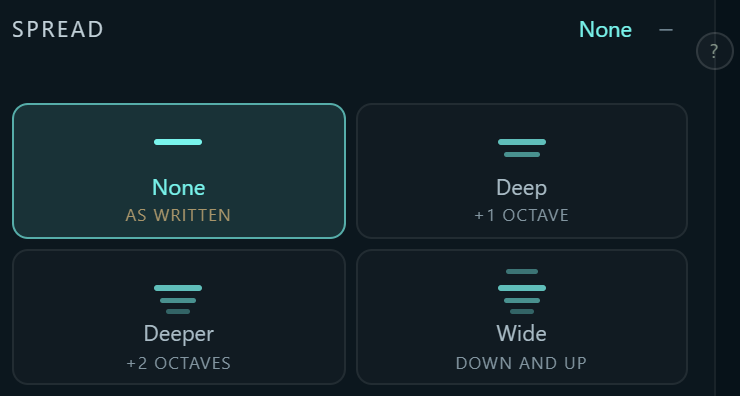
Opens up the vertical space between the notes in your chord. At low spread, notes sit close together like piano fingers; at high spread, the notes spread out across three octaves like a full string orchestra.

Why it's cool · How it works
When low notes are packed too tightly together, their sound waves crash into each other and sound harsh and muddy. Spreading notes out gives each frequency room to breathe, creating that huge, cinematic 'open' sound.

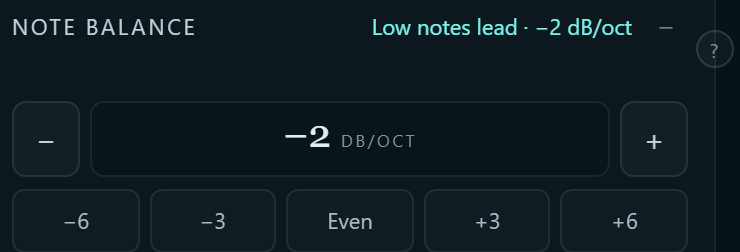
Note Balance (Tilt Weighting)

Harmonic Tilt
Note Balance (Tilt Weighting) control

A tilt control for the chord's frequency weight. Slide left to boost the deep bass notes and quiet the highs, or slide right to make the singing top notes shine while keeping the bass light.

Why it's cool · How it works
Human ears are naturally much more sensitive to high pitches than deep bass. Note balance lets you tilt the energy so your low notes don't drown out the melody, or vice-versa.

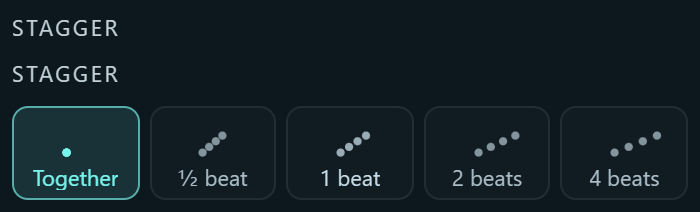
Stagger (Note Handover Gap)

Timing Offset
Stagger (Note Handover Gap) control

Staggers the handover between changing chords. Instead of all notes jumping at the exact same split-second, the old notes fade out gently while new notes enter with a natural timing gap.

Why it's cool · How it works
Real musicians never play robotic, perfectly quantized chord changes. Staggering note entrances mimics human touch and keeps transitions from feeling like abrupt volume cuts.

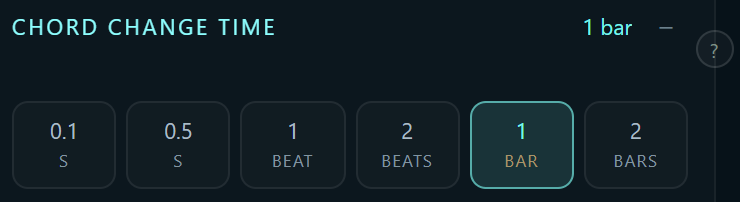
Chord Change Time (How the notes hand over)

Voice Transition
Chord Change Time (How the notes hand over) control

Sets how many seconds it takes for one chord to crossfade into the next. Pick 1 second for a noticeable change, or 8 to 16 seconds so chords melt together so slowly you barely notice the shift.

Why it's cool · How it works
Long crossfades hold onto shared notes between two chords while swapping out the changing notes. This creates an endless, flowing river of sound where chords blend into fresh harmonies in the middle of the transition.

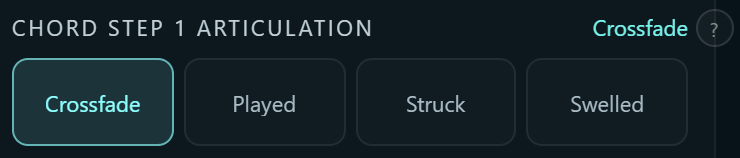
Articulation (Crossfade / Played / Struck / Swelled)

Envelopes
Articulation (Crossfade / Played / Struck / Swelled) control

Adjusts the playing style of your synths—from sustained, continuous drone pads that never leave to gentle, breathing swells that bloom open and fade away.

Why it's cool · How it works
Articulation controls how the notes live over time. Continuous sustain gives a steady bed of warm sound, while slow breathing blooms create relaxing movement that keeps the mind engaged without waking you up.
Tapestry and Mosaic Synthesizers Banner

The Structured Bed plays through one of two synthesizers at a time: Tapestry, a woven ensemble synth that holds common tones across chord changes; or Mosaic, a multi-source round-robin synth that deals chord notes around a ring.

Instrument (Tapestry Character)

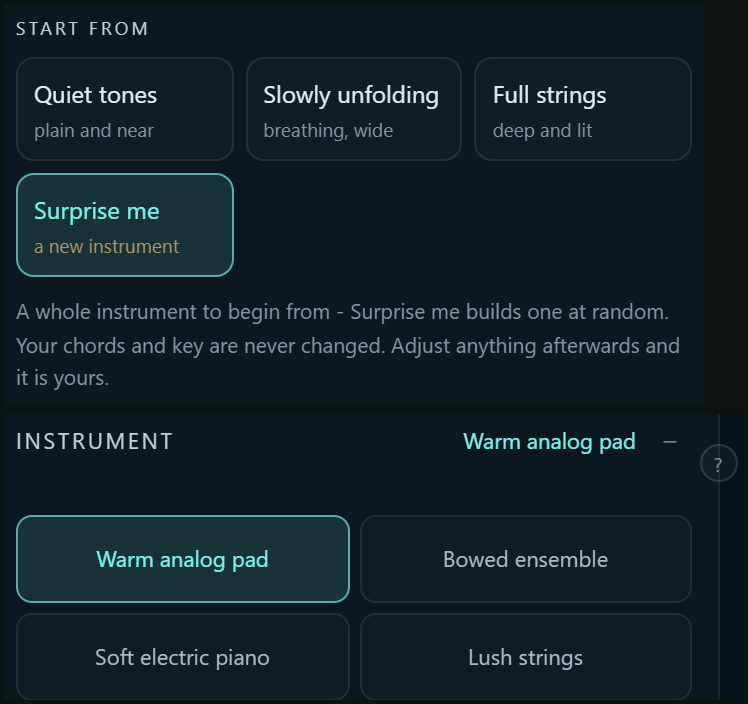
Acoustic Model
Instrument (Tapestry Character) control

The instrument voice selector: Warm analog pad (classic vintage synthesizer), Bowed ensemble (warm orchestral strings), Soft electric piano (gentle bell-like keys), and Lush strings (wide, shimmering symphony).

Why it's cool · How it works
Each character uses physical and acoustic modeling to simulate different materials—from vibrating wooden cello bodies to analog vacuum-tube circuitry—giving your chords immediate emotional weight.

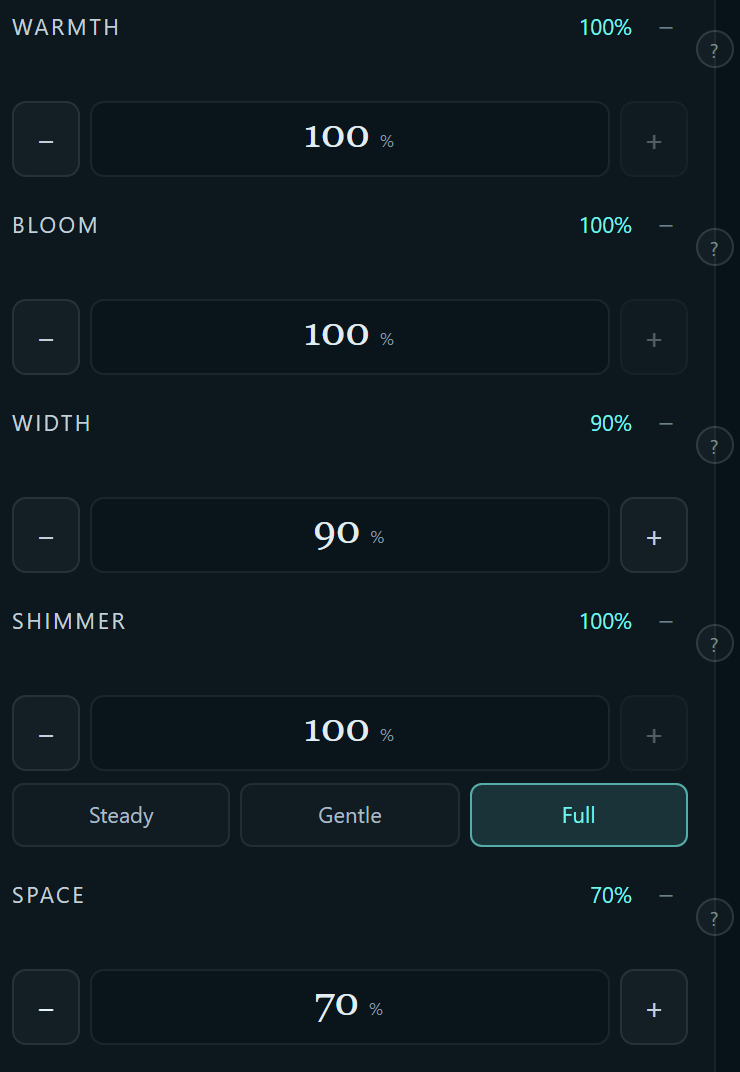
Tapestry Shaping (Warmth/Bloom/Width)

Sound Design
Tapestry Shaping (Warmth/Bloom/Width) control

Five shaping rows that sculpt your pad's texture: Warmth (low-mid richness), Bloom (how wide it opens up), Width (stereo separation), Shimmer (high-end sparkle), and Space (reverb room size).

Why it's cool · How it works
These parameters adjust the acoustic physics of the instrument. Adding warmth softens harshness, while shimmer adds gentle high harmonics that glisten like light dancing on ocean water.

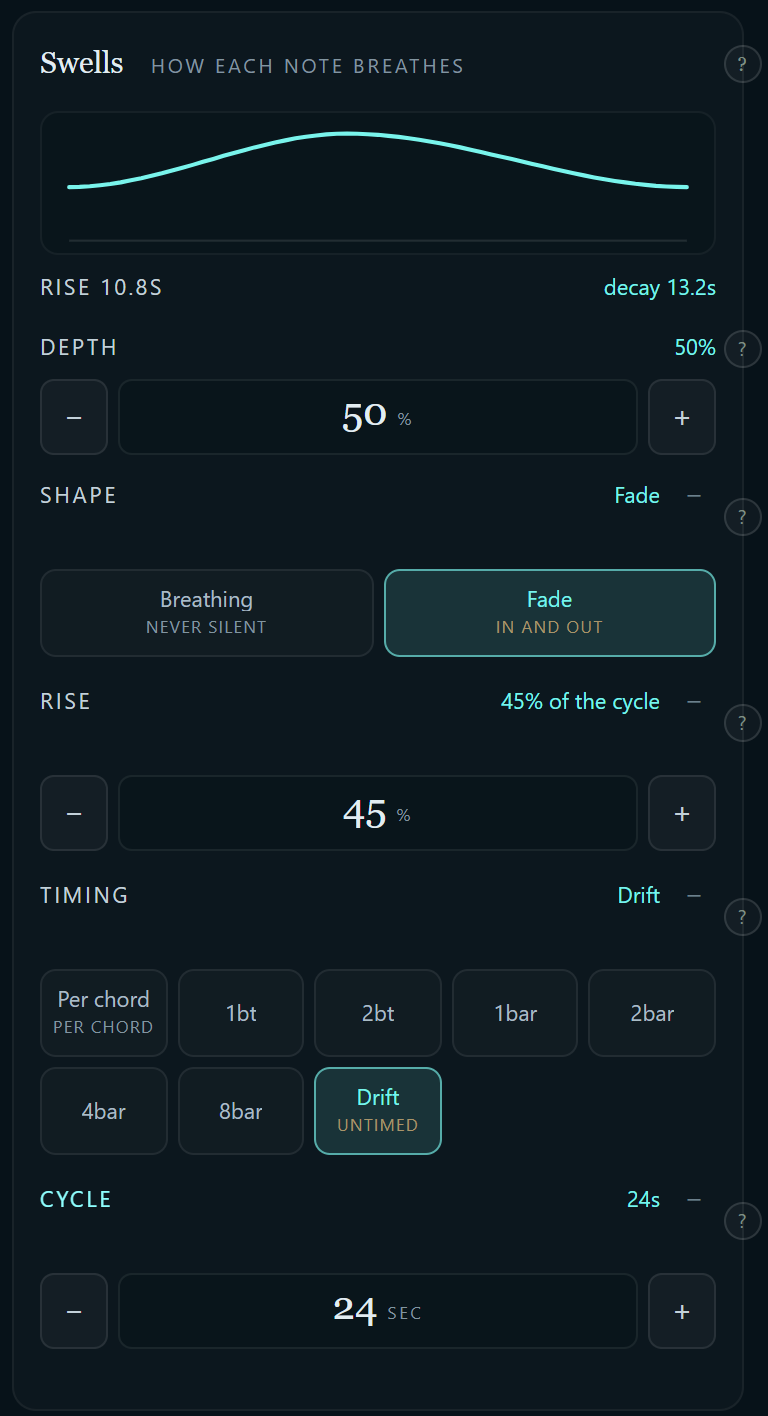
Tapestry Swells (Per-Note Breathing)

Movement
Tapestry Swells (Per-Note Breathing) control

Gives each note in the chord its own independent breathing speed. Notes gently rise and fall on separate cycles instead of pulsing together in lockstep.

Why it's cool · How it works
In a chamber ensemble, no two players breathe or bow at the exact same millisecond. Independent note swells give electronic pads a living, organic presence that never feels repetitive.

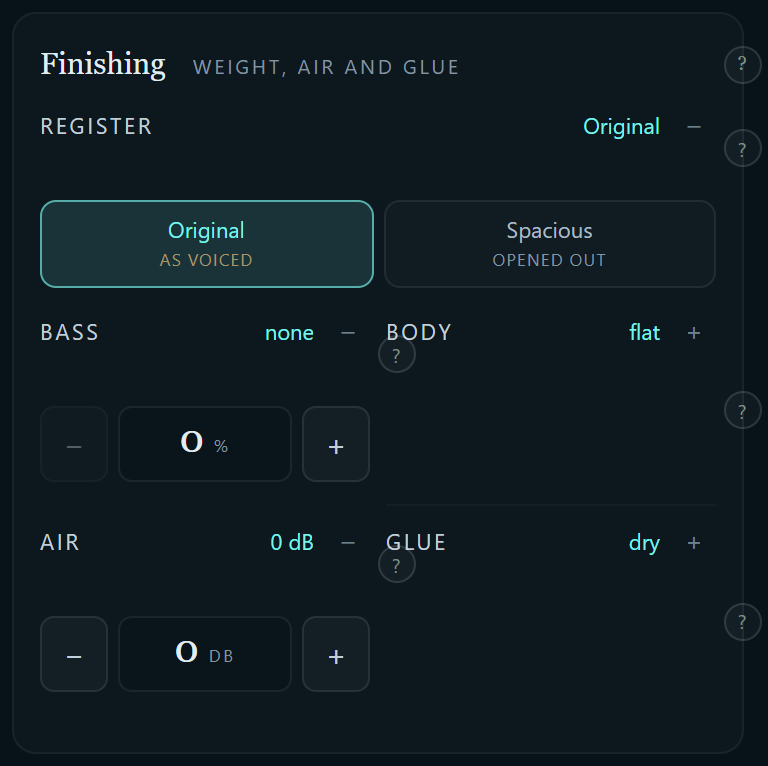
Tapestry Finishing (Body/Glue/Air)

Mastering
Tapestry Finishing (Body/Glue/Air) control

Master mastering polish: Body (core fundamental punch), Glue (blends notes together into one cohesive sound), and Air (silky ultra-high frequency sheen).

Why it's cool · How it works
These are studio-grade mastering treatments. 'Glue' gently compresses frequency relationships so disparate notes feel like they came from the same acoustic instrument, while 'Air' adds breathiness without harshness.

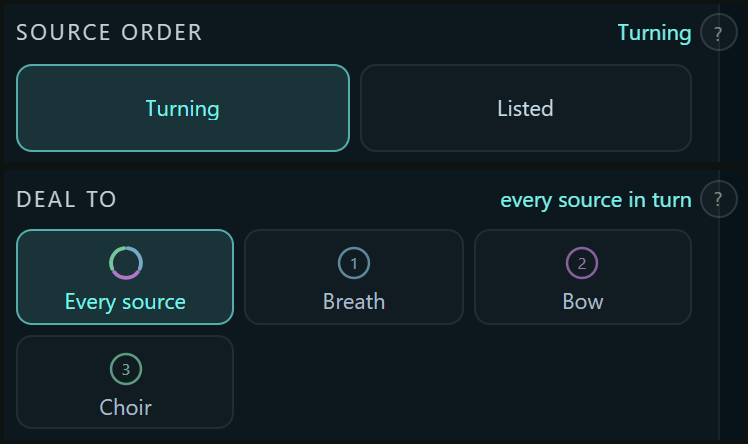
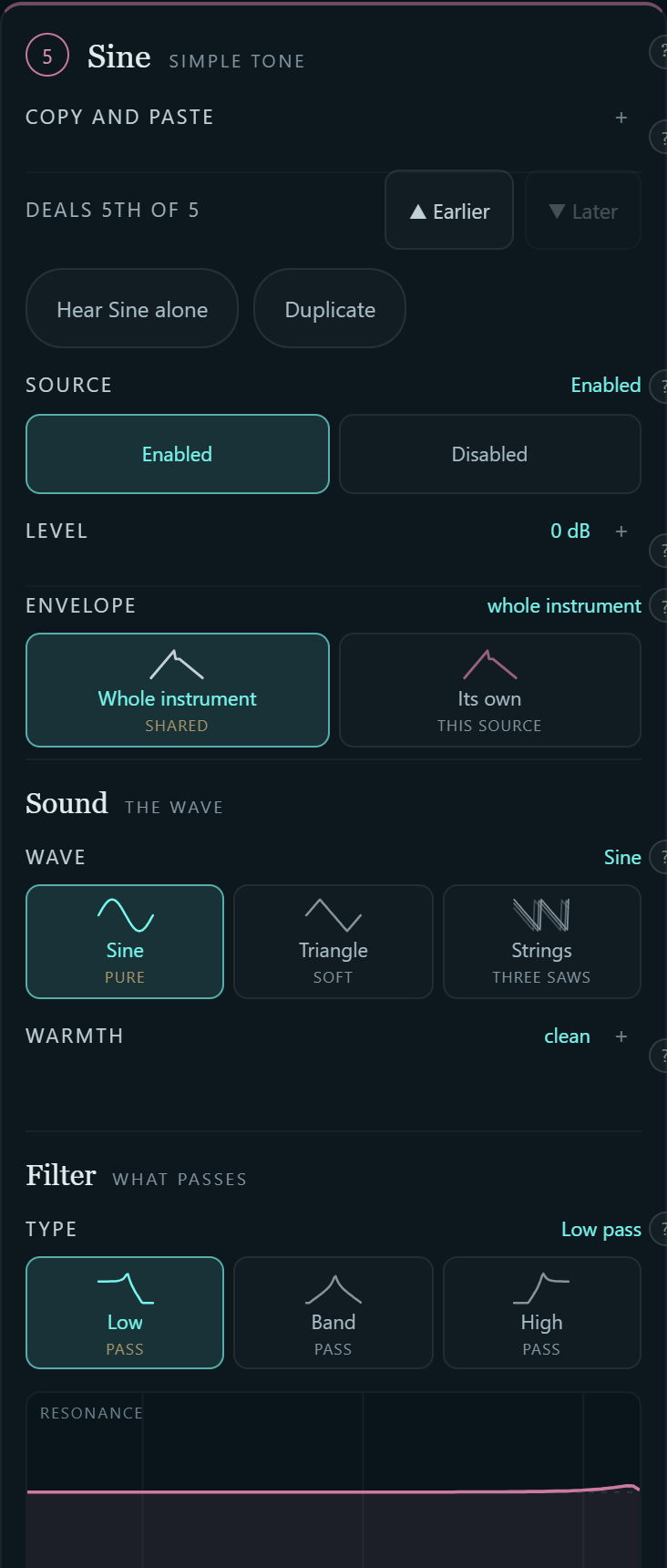
Source Order & Deal To

Voice Allocation
Source Order & Deal To control

In Mosaic mode, notes of your chord are 'dealt' to different sound engines like a deck of cards. You can deal from the bass up, rotate on every chord, or send all notes to one sound alone.

Why it's cool · How it works
Round-robin dealing means the bass note might play as an acoustic cello, the middle note as a warm bell tone, and the top note as an airy vocal texture. It turns a static chord into a rich multi-timbral orchestra.

Mosaic Textures & Blur

Wavetable
Mosaic Textures & Blur control

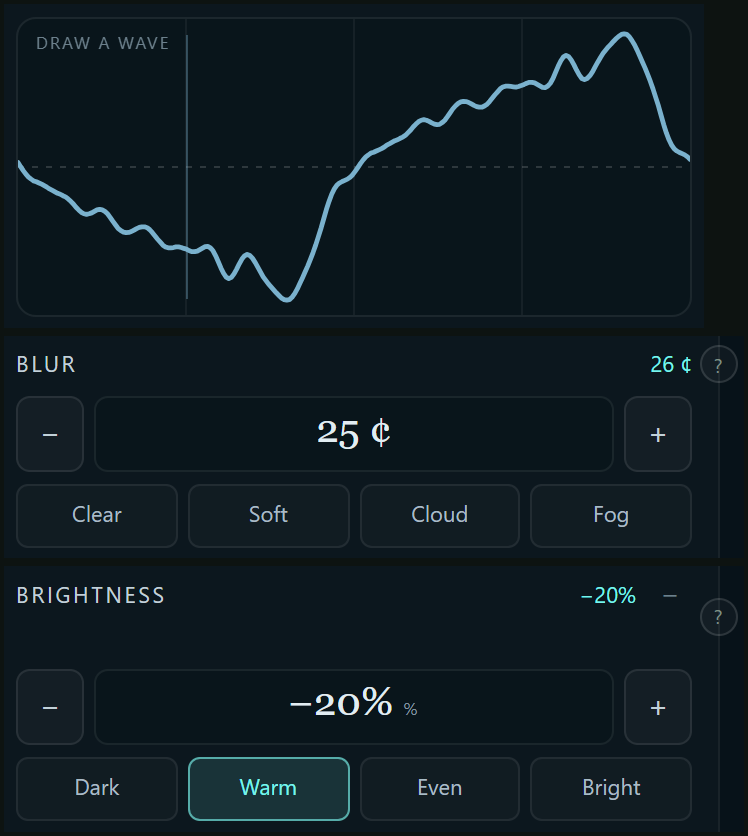
Draw custom waveforms with your finger or morph between Wave A and Wave B. Adjust Blur to soften harmonic spikes and Brightness to open up the frequency filter.

Why it's cool · How it works
Blur uses Gaussian mathematical smoothing on drawn waveforms, turning harsh digital corners into silky smooth, analog-sounding acoustic shapes that are easy on tired ears.

Mosaic Aurora Patches

Spectral Patches
Mosaic Aurora Patches control

Atmospheric synth patches with slow internal movement, evolving harmonics, and cosmic textures that wander gently over time.

Why it's cool · How it works
Aurora patches use complex phase modulation to create sounds that shimmer and evolve internally without needing any manual adjustments, mimicking the shifting northern lights.

Mosaic Tones (Vibrato/Tremolo)

Pure Tones
Mosaic Tones (Vibrato/Tremolo) control

Pure, focused melodic tones with adjustable vibrato (pitch wobble) and tremolo (volume pulsing) for gentle bell, organ, or flute textures.

Why it's cool · How it works
Subtle vibrato mimics a singer's voice or a cellist's finger shaking on a string, adding an intimate emotional warmth that immediately feels human.

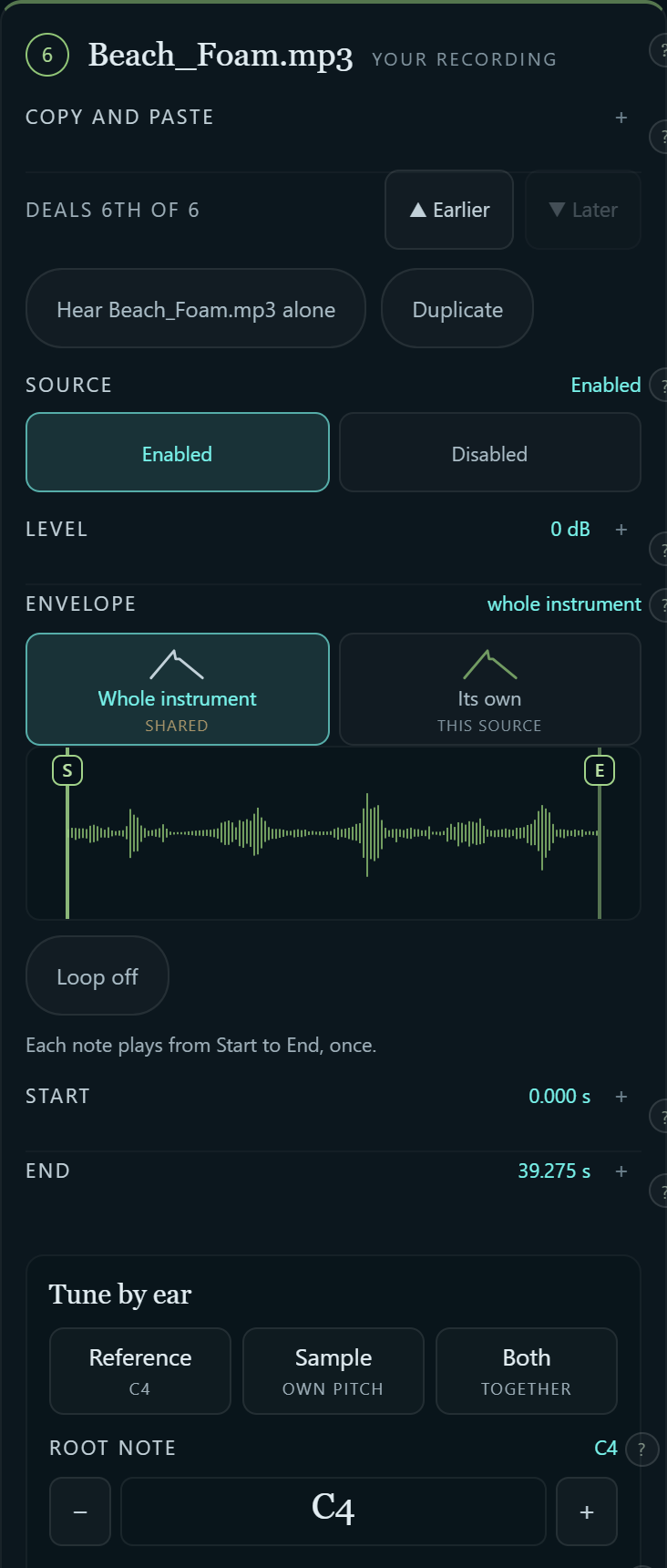
Mosaic Recordings & Loop Bounds

Granular Samples
Mosaic Recordings & Loop Bounds control

Uses real acoustic field recordings as melodic instruments. Set custom loop boundaries and forward/reverse playback to build haunting, textural instruments.

Why it's cool · How it works
Turning real-world recordings (like wind, bells, or tape hiss) into pitch-tracked instruments brings the imperfections and tactile crunch of the physical world into your synth beds.

Mosaic Envelopes

Envelopes
Mosaic Envelopes control

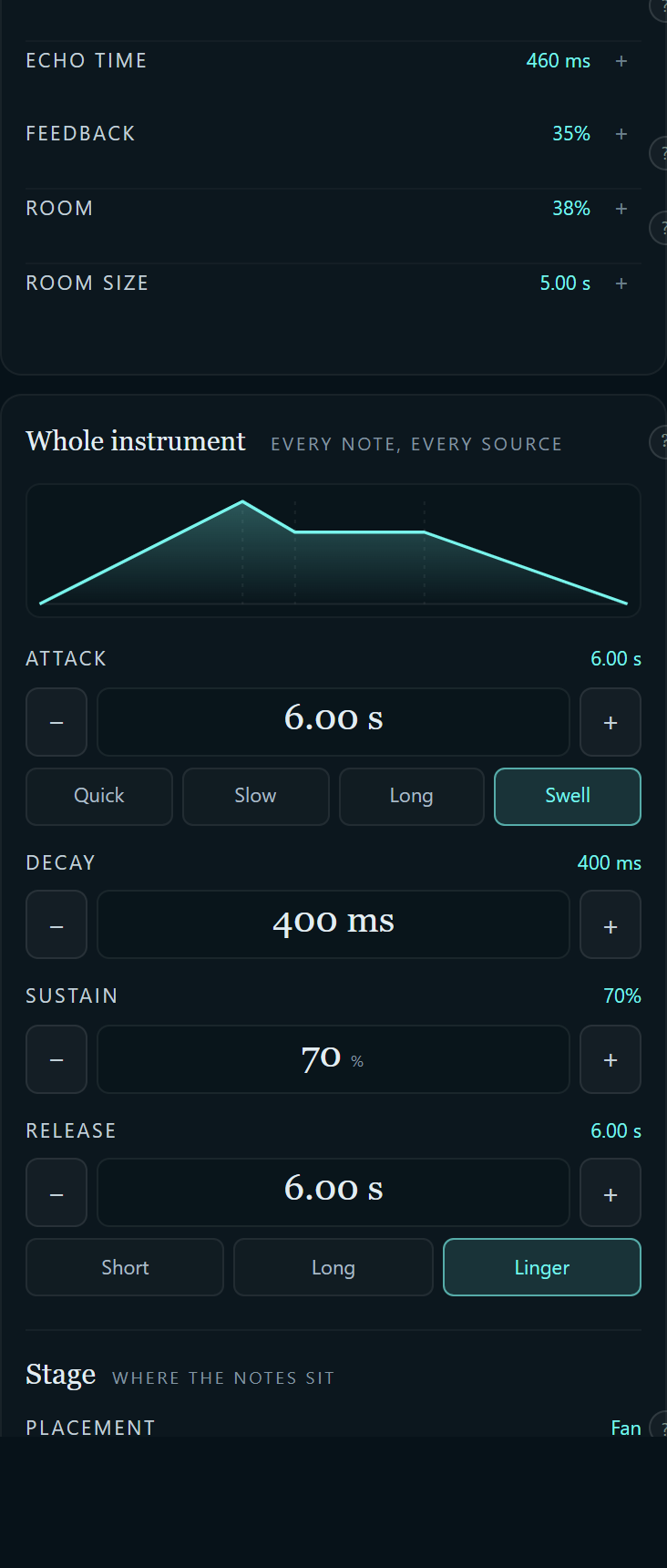
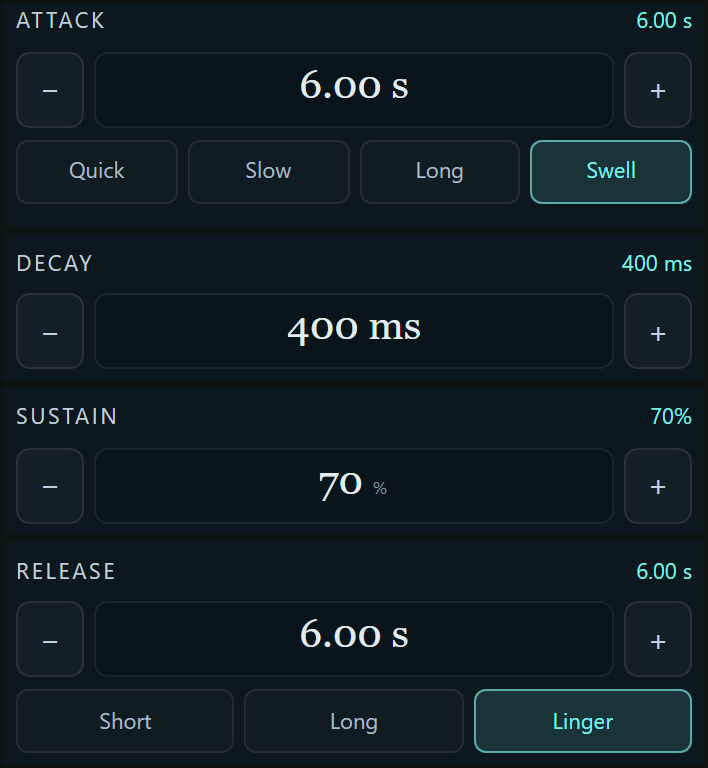
Controls the Attack (how slowly sound fades in), Decay, Sustain (held volume), and Release (how long it rings out after the note ends).

Why it's cool · How it works
A fast attack feels like a struck piano key; a slow 4-second attack feels like a string section gently swelling in from total silence. Envelopes shape the rhythmic personality of your sound.

Mosaic Stage (Fan / Still / Orbit)

Spatial Staging
Mosaic Stage (Fan / Still / Orbit) control

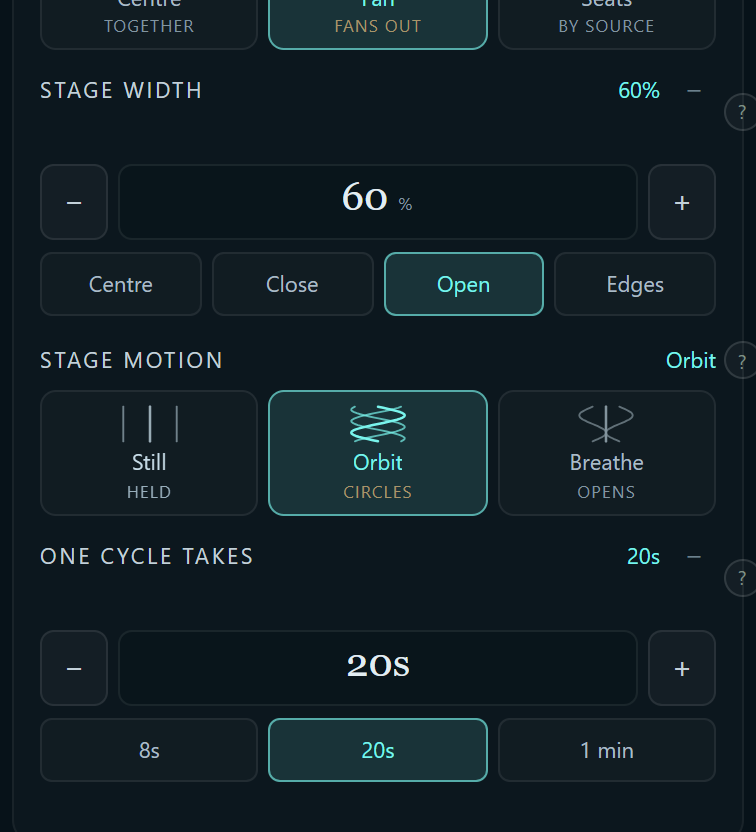
Places your chord notes in a virtual 3D room. 'Fan' spreads notes in a wide arc across your ears, 'Still' centers them, and 'Orbit' gently revolves notes around your head.

Why it's cool · How it works
Psychoacoustics shows that placing different notes at slightly different stereo angles makes the brain perceive the soundstage as deep and immersive, reducing ear fatigue.

Mosaic Master Room & Cuts

Sub-Master
Mosaic Master Room & Cuts control

The master section for Mosaic: sets overall room reverb acoustics and low/high frequency cuts to keep the multi-engine mix clean and balanced.

Why it's cool · How it works
When four different sound engines are playing together, trimming unnecessary sub-bass rumble and harsh top hiss ensures the final mix sounds polished, warm, and cohesive.
Ambient Bed Channel Banner

The Ambient Bed wraps the Scape in a warm, unbroken blanket of sound. Instead of sharp individual notes, it spreads frequencies into lush, shimmering waves that float behind everything else.

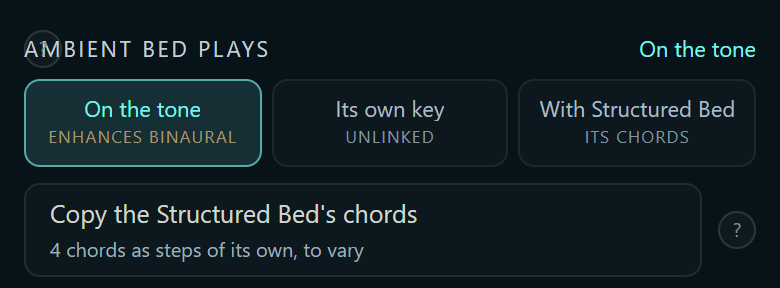
Ambient Bed Plays (On the Tone / Its Own Key / With Structured Bed)

Routing
Ambient Bed Plays (On the Tone / Its Own Key / With Structured Bed) control

Choose whether the Ambient Bed follows the Structured Bed's chord progression automatically, or plays its own independent chord sequence.

Why it's cool · How it works
Following the main chords creates a unified, wall-of-sound harmony. Setting its own sequence lets you create counter-harmonies and long polyphonic movements where two beds drift past each other like slow clouds.

Ambient Sequence & Arrival

Independent Chords
Ambient Sequence & Arrival control

Edit the dedicated chord cards and arrival beats for the Ambient Bed when it runs in independent mode.

Why it's cool · How it works
When one bed changes chords on bar 1 and another changes on bar 3, your brain hears continuous harmonic evolution that never sounds like an obvious repeating 4-bar loop.

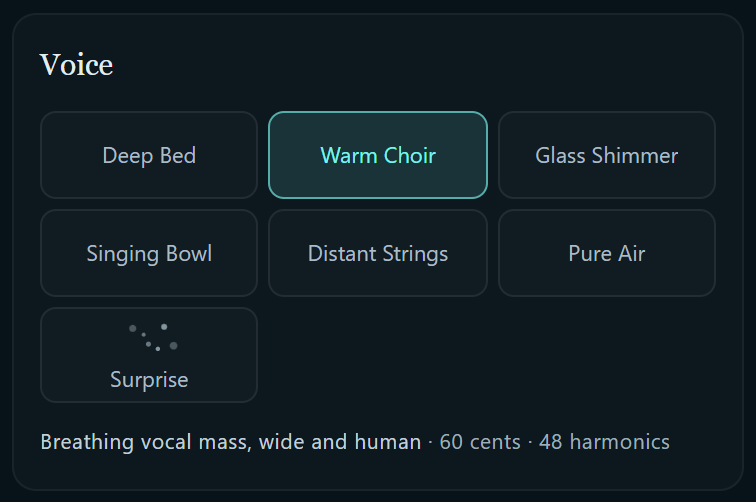
Voice (PADsynth Profiles)

Spectral Synthesizer
Voice (PADsynth Profiles) control

Select from 16 custom spectral voice profiles—from deep sub-drones and choral voices to airy glass organ and warm acoustic strings.

Why it's cool · How it works
PADsynth spectral synthesis doesn't use standard wavetables; it builds sounds by spreading thousands of pure frequency bands across the harmonic series, creating chorus-like width with zero digital phasing.

Bandwidth, Profile & Harmonics

Spectral Timbre
Bandwidth, Profile & Harmonics control

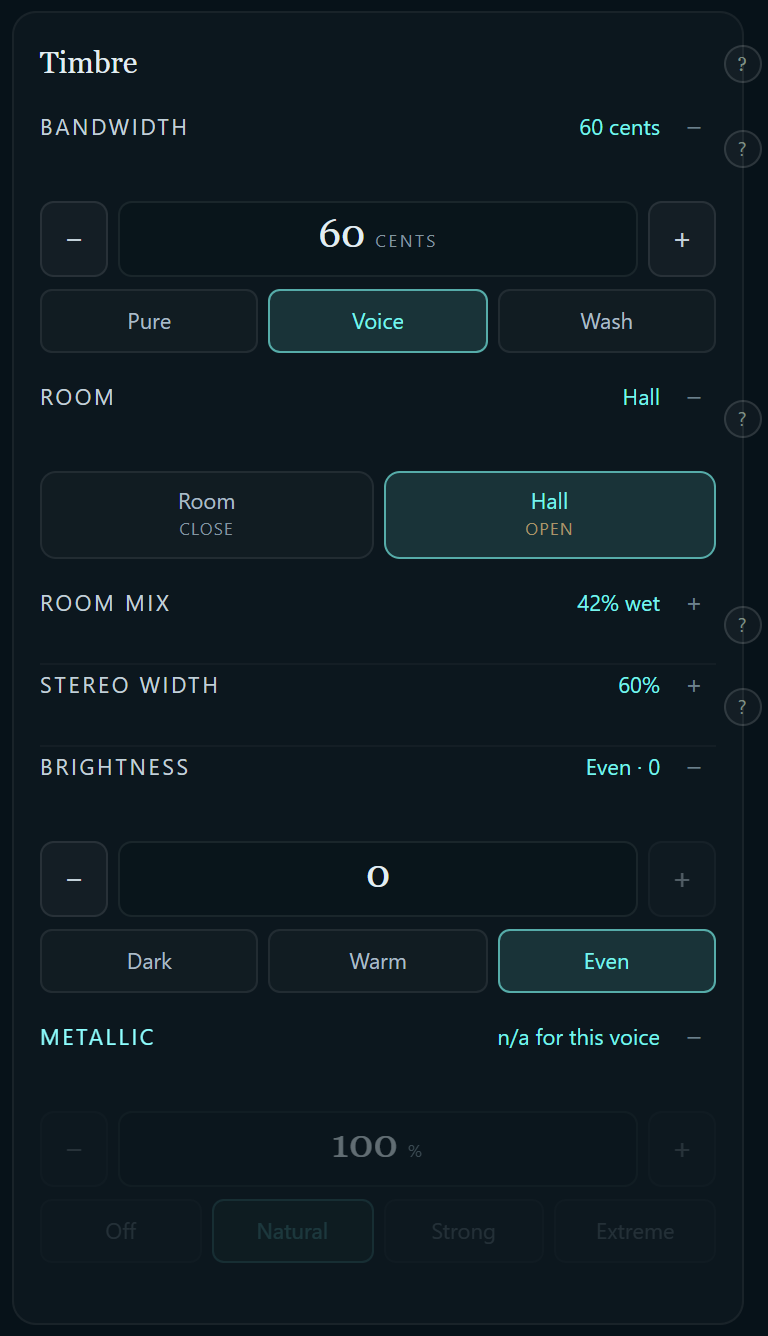
Three sound-shaping rows: Bandwidth (Pure, Gentle, Choir, Lush, or Wide, in cents), Profile (Gaussian, Flat, or Detuned band shape), and Harmonics (Pure, Soft, Warm, Strings, Choir, Organ, Bell, or Dark overtone recipe).

Why it's cool · How it works
Widening Bandwidth from 20 to 100 cents and switching Profile and Harmonics transforms a simple tone into a colossal, shimmering choir or string section where thousands of tiny detuned frequencies melt together.

Morph: Destination & Journey

Spectral Journey
Morph: Destination & Journey control

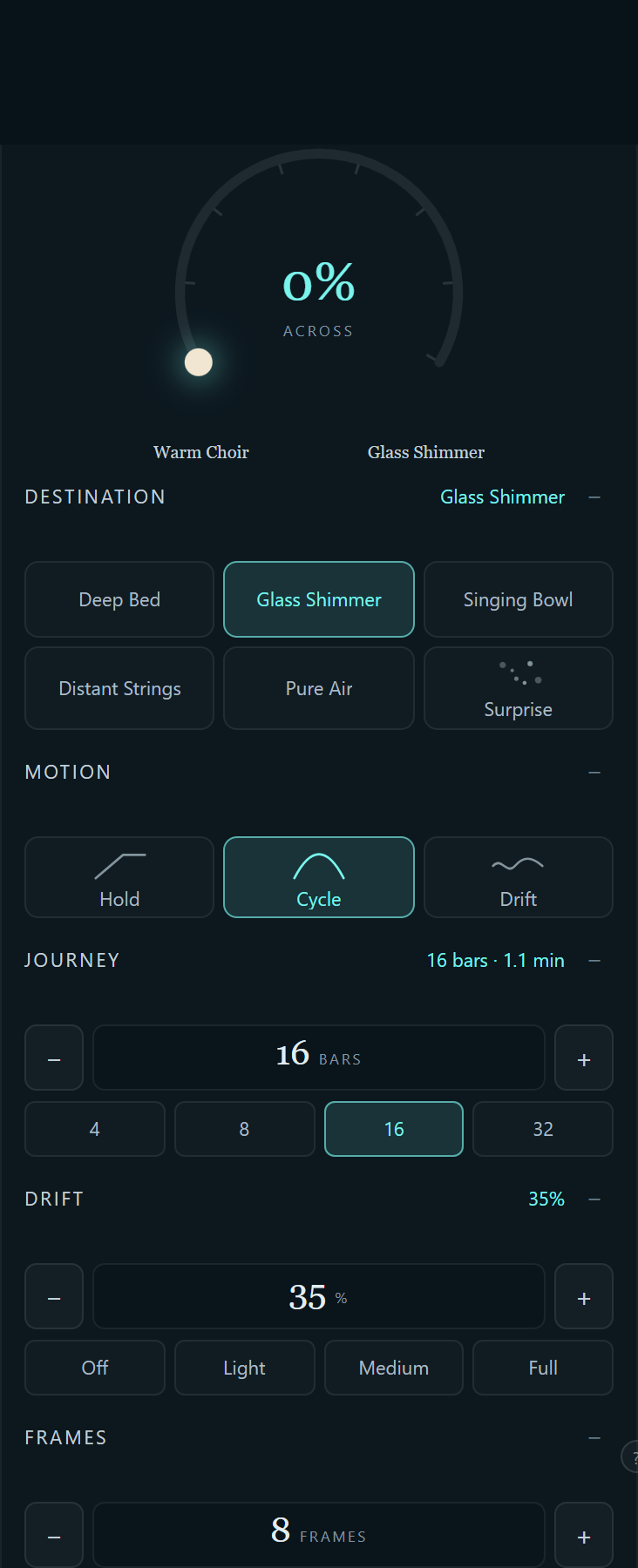
Sets a Morph Target voice and chooses how many bars the sound takes to slowly travel from Voice A to Voice B in a continuous sonic journey.

Why it's cool · How it works
Power-domain spectral morphing blends the harmonic profiles of two distinct instruments so smoothly that you can't hear where one ends and the other begins, creating hybrid sounds that evolve endlessly.

Ambient Attack & Release

Envelopes
Ambient Attack & Release control

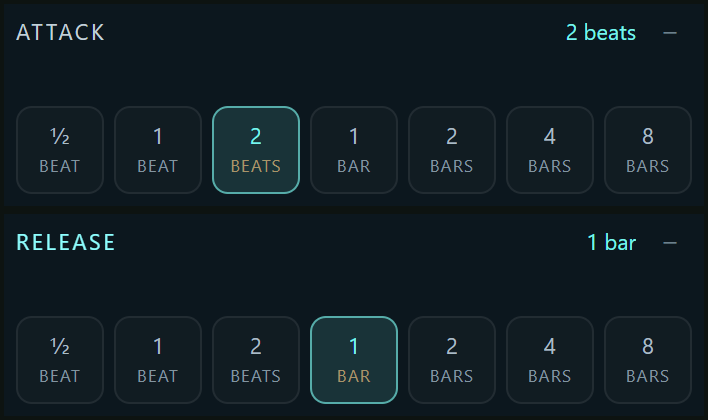
Sets the Attack and Release times in beats. Choose ultra-slow swells that fade in over several bars and hang in the air long after the chord has moved on.

Why it's cool · How it works
Gentle attack slopes avoid clicky transients that trigger the brain's alertness reflex, letting your nervous system relax completely into the sound.
Room & Stereo Width

Acoustic Space
Room & Stereo Width control

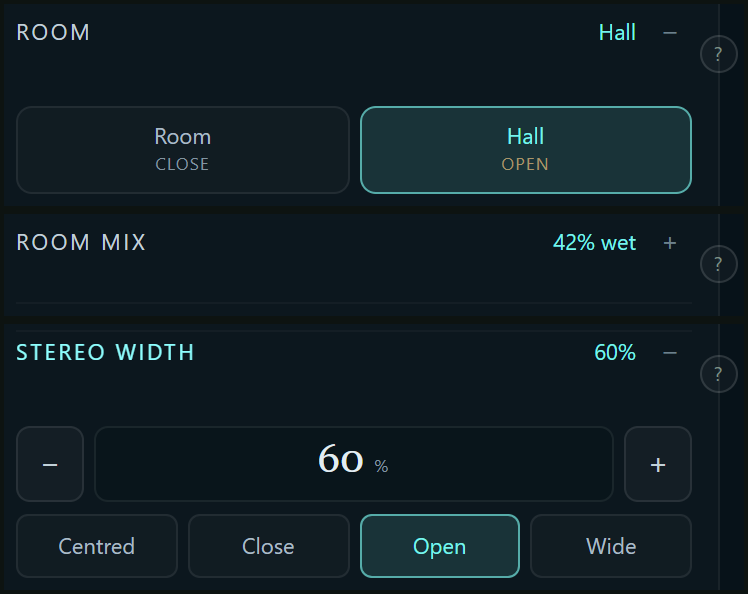
Adjusts the virtual acoustic chamber and stereo width. Pick a cozy intimate room or an expansive endless cathedral with wide wrap-around stereo space.

Why it's cool · How it works
Stereo widening sends subtle phase-delayed cues to each ear, expanding the perceived sound outside the physical boundaries of your headphones into the surrounding room.

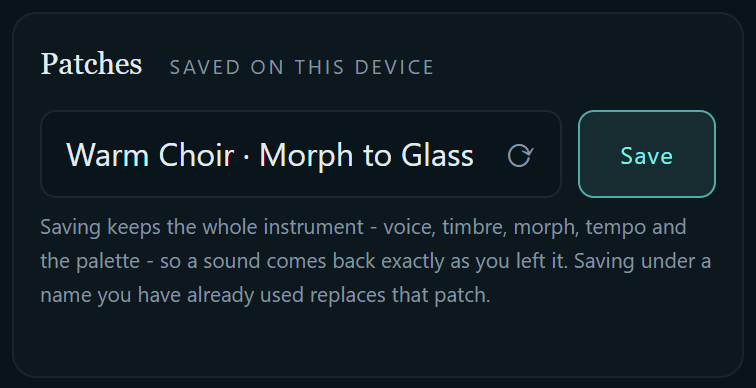
Patches (Stored Sounds)

Patch Library
Patches (Stored Sounds) control

Save, rename, and load your custom spectral synthesizer patches. Keep your favorite custom pad settings ready for any new piece.

Why it's cool · How it works
Saving your favorite spectral sound design combinations allows you to maintain a consistent signature sonic palette across different compositions and moods.
Atmosphere Channel Built and Recorded Worlds Banner

The Atmosphere Channel drops your listener right into a living acoustic world. Blend synthetic wind and ocean swells with real outdoor recordings like rain, rivers, and night forests, shaped with warm tape filters and space reverb.

World (Built vs. Recorded)

Atmosphere Engine
World (Built vs. Recorded) control

Switch between Built World (synthetic noise generators, wind sweeps, and cosmic rumbles) and Recorded World (real acoustic field recordings like rain, rivers, forests, and crackling campfires).

Why it's cool · How it works
Real-world acoustic recordings contain complex natural fractal rhythms (like individual raindrops) that relax the human nervous system by mimicking safe, peaceful outdoor environments.

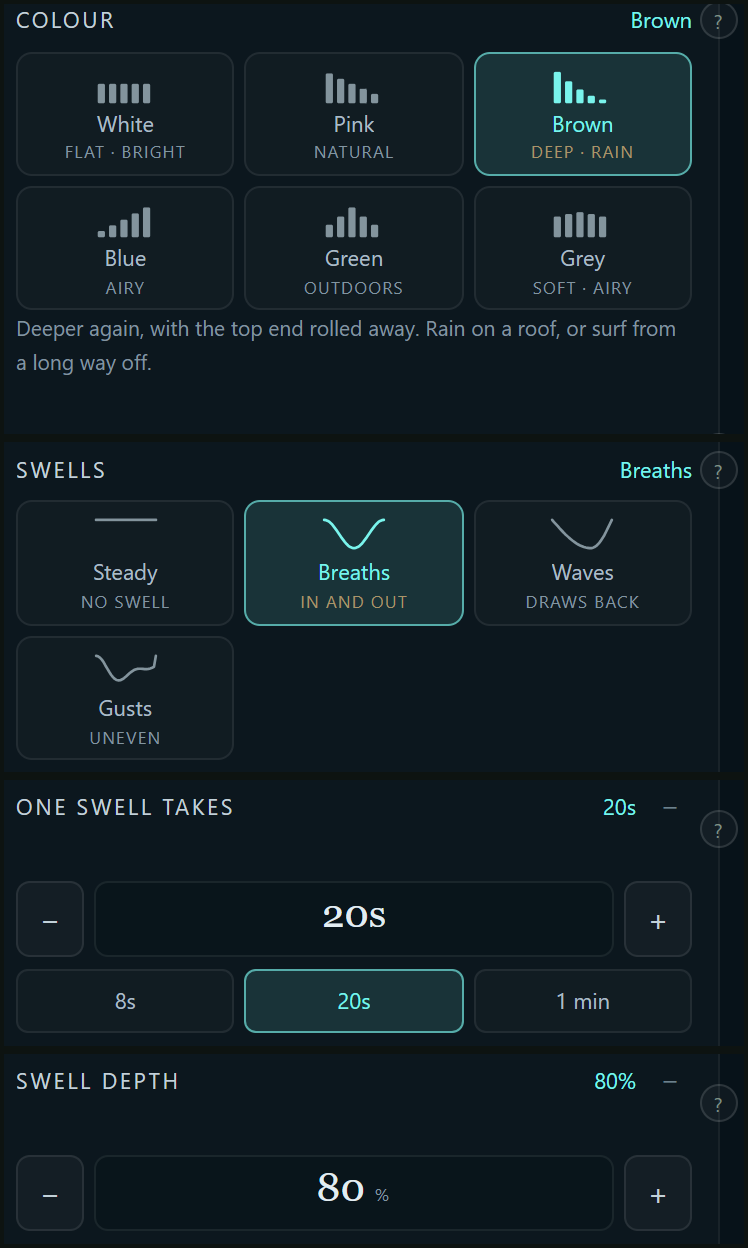
Noise Colours & Swells

Noise Synthesis
Noise Colours & Swells control

Choose your noise color (Pink, Red/Brown, Grey, Violet, or White) and set Swell movement. Slower swells gently open and close the noise like waves lapping on a beach.

Why it's cool · How it works
Different noise colors have different frequency slopes: Brown noise has deep, soothing low rumble like thunder or heavy rain, Pink noise sounds like waterfalls, and Grey noise is calibrated to equal loudness across human hearing.

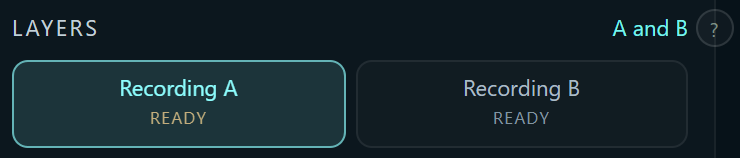
Layers A & B (Mutes)

Dual Layer
Layers A & B (Mutes) control

Two independent audio layers (Layer A and Layer B) with separate on/off mute switches, sample pickers, and settings. Run one alone or blend two worlds together.

Why it's cool · How it works
Layering two contrasting field recordings (like gentle night rain under distant rolling thunder) creates realistic acoustic depth that single recordings can't match.

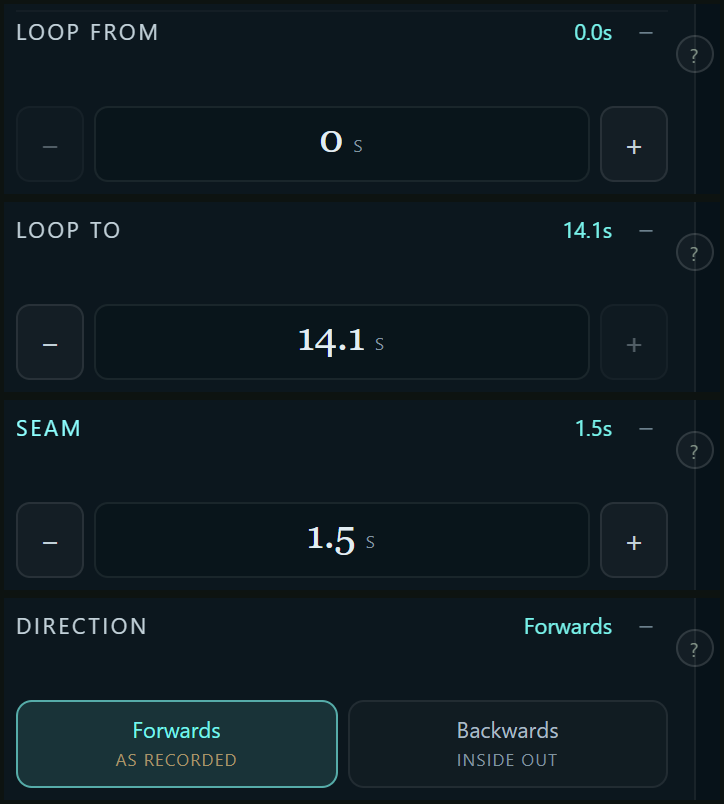
Loop Seam & Direction

Sample Loop
Loop Seam & Direction control

Set the start and end markers for your audio loop and choose playback direction (Forwards or Backwards). Loop boundaries snap cleanly to avoid clicks.

Why it's cool · How it works
Reversing field recordings plays acoustic transients backward, creating mysterious, ghostly swells where sounds rise in volume before disappearing into silence.

Pitch & Auto Low-Cut

Pitch Shift
Pitch & Auto Low-Cut control

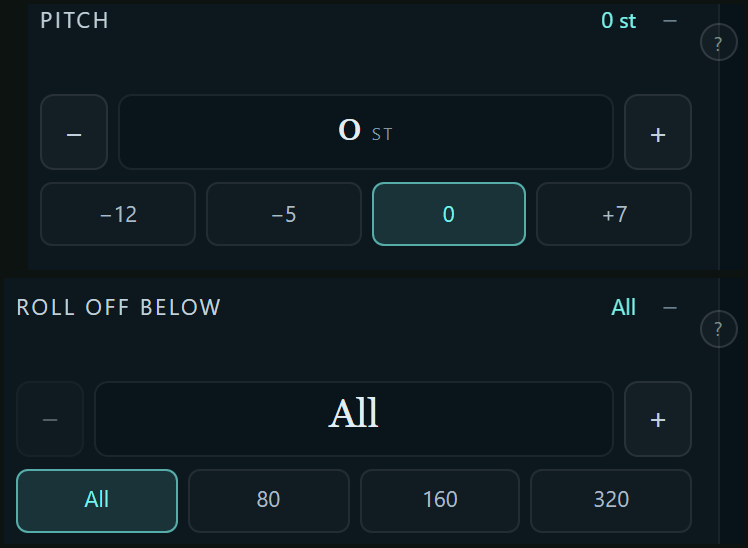
Shifts the recording pitch up or down by up to two octaves (-24 to +24 semitones). Pitching down automatically raises the low-end filter to protect your speakers from muddy rumble.

Why it's cool · How it works
Pitching a field recording down half-speed mimics the sound of vintage tape machines, turning chirping birds or running water into deep, haunting subterranean rumbles.

Loudness (Levelled)

Gain Staging
Loudness (Levelled) control

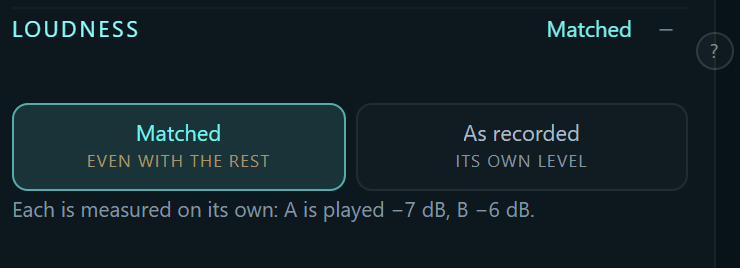
A one-tap volume matcher that scans the recording offline and matches its perceived loudness to the rest of the mix.

Why it's cool · How it works
Field recordings vary wildly in volume—some are quiet room whispers, others are loud river torrents. Levelled prevents sudden startling volume spikes when previewing new sounds.

Balance (Leader-Locked)

Layer Mix
Balance (Leader-Locked) control

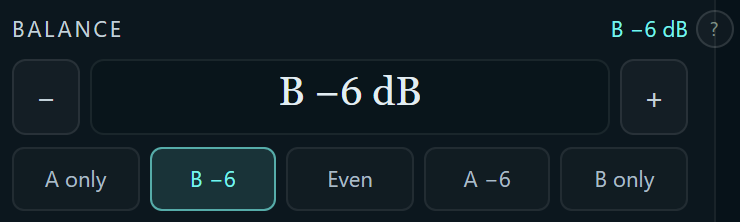
Balances volume between Layer A and Layer B (A only, B –6 dB, Even, A –6 dB, or B only). Stepping the balance fades the quieter layer up and down while keeping your main layer at full loudness.

Why it's cool · How it works
Traditional mixers reduce the louder track when crossfading, causing an annoying volume drop in the middle. Leader-locked balance keeps your foundation solid while you blend in background textures.

Transition (Trading Places)

Crossfade
Transition (Trading Places) control

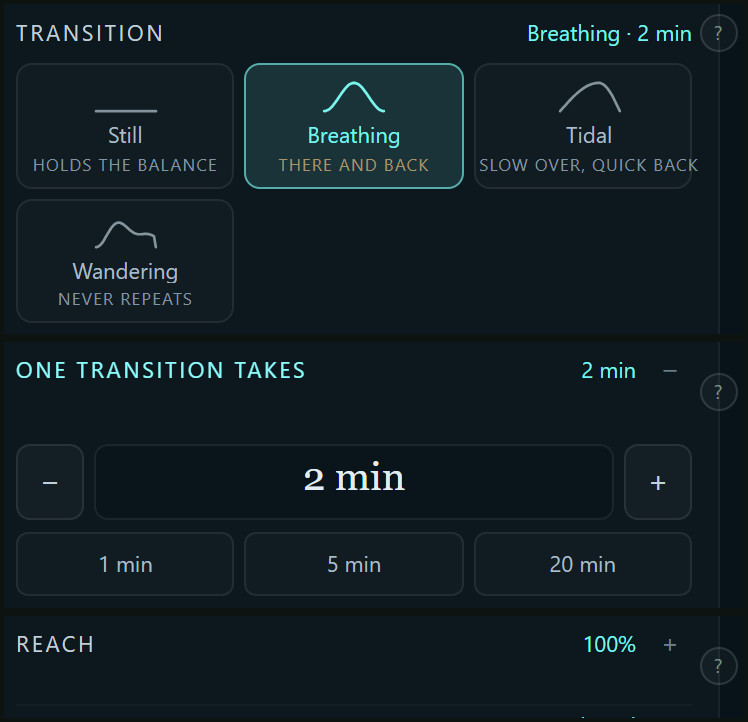
Automatically trades places between Layer A and Layer B over several minutes. As Layer A slowly drifts away, Layer B swells up to take its place.

Why it's cool · How it works
Slow acoustic crossfades keep long listening sessions fresh without sudden changes that break your concentration or wake you from sleep.

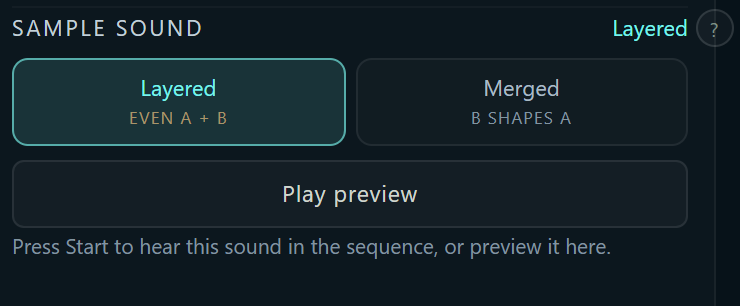
Sample Sound (Layered vs. Merged)

Spectral Fusion
Sample Sound (Layered vs. Merged) control

Switches between Layered (both recordings play side-by-side) and Spectral Merge (the frequency DNA of both recordings is mathematically fused into a completely new hybrid sound).

Why it's cool · How it works
Spectral merging analyzes the frequency peaks of both sounds in real time, letting the resonance of one sound modulate the texture of the other like a sonic vocoder.

Effects (Shared vs. Separate)

FX Routing
Effects (Shared vs. Separate) control

Choose whether Layer A and Layer B share the same effects rack, or run through their own separate distortion, filters, and delays.

Why it's cool · How it works
Independent routing lets you keep a crisp, clean rain recording on one layer while running a wind recording through heavy drive, flange, and deep space reverb on the other.

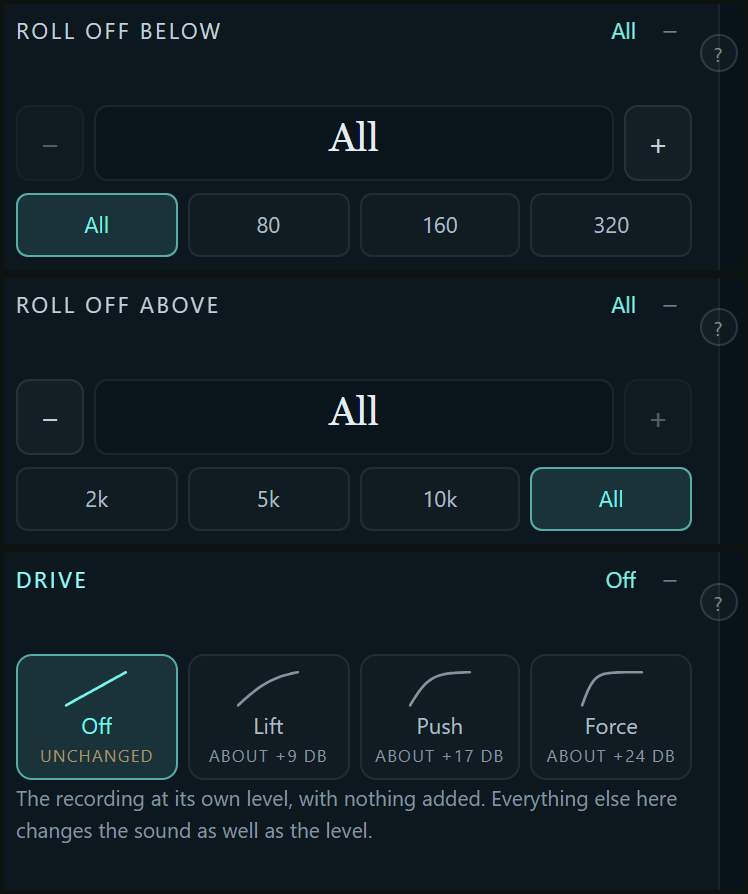
Roll-Offs & Drive

Filters & Saturation
Roll-Offs & Drive control

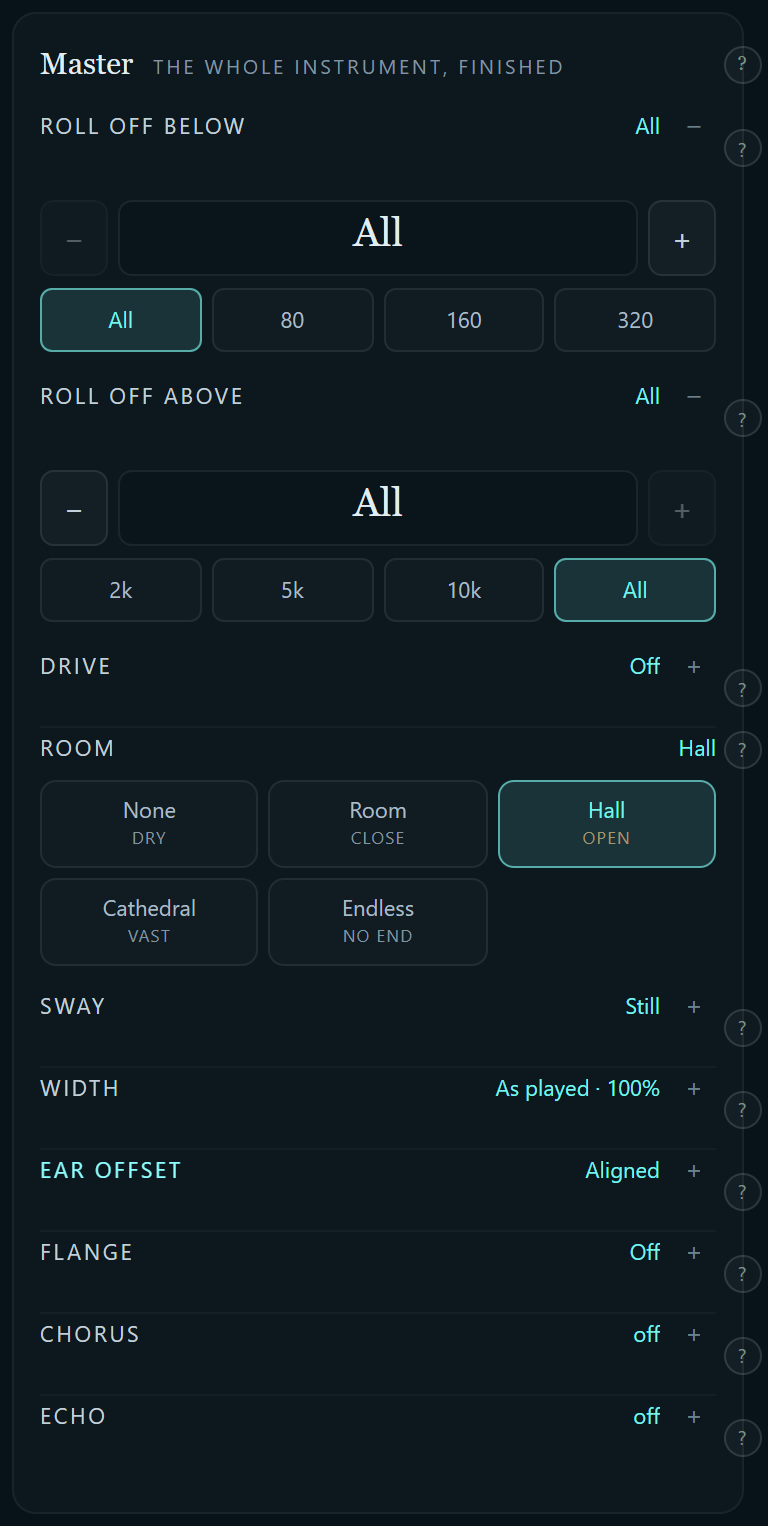
The core audio filter rack: Roll-off below (cuts deep rumble), Roll-off above (trims harsh treble), and Drive (warm analog tape saturation).

Why it's cool · How it works
Drive adds gentle harmonic saturation, warming up sterile digital recordings and making them feel like they were recorded onto vintage vinyl or cassette tape.

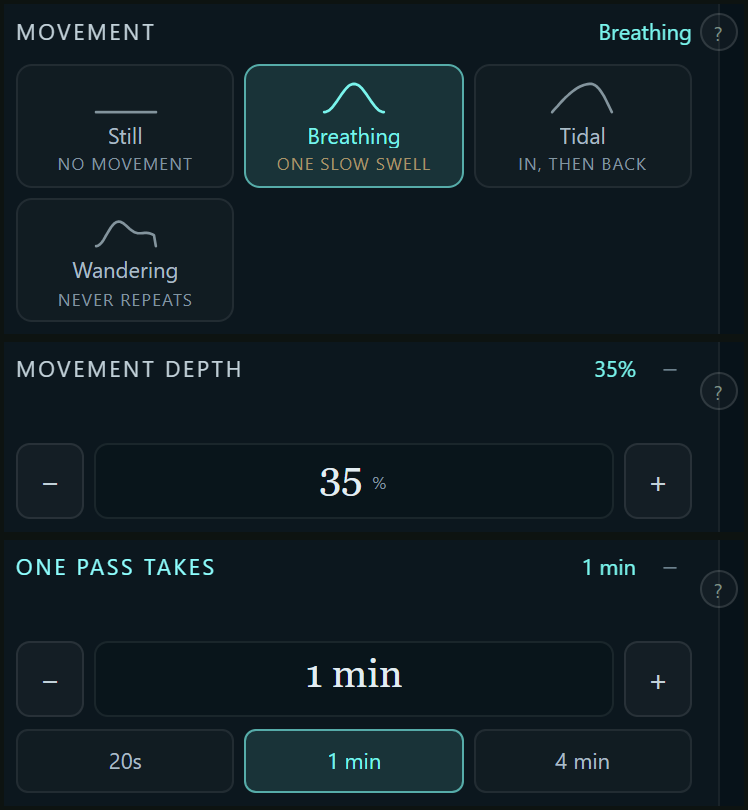
Movement (Filter Sweeps)

Filter Motion
Movement (Filter Sweeps) control

Sweeps the frequency filters back and forth using gentle weather shapes (Sine wave, Rising swell, or Falling wave) over customized pass durations.

Why it's cool · How it works
Filter movement simulates real-world environmental dynamics, like a gust of wind blowing through a window or a wave rolling across sand and slowly retreating.

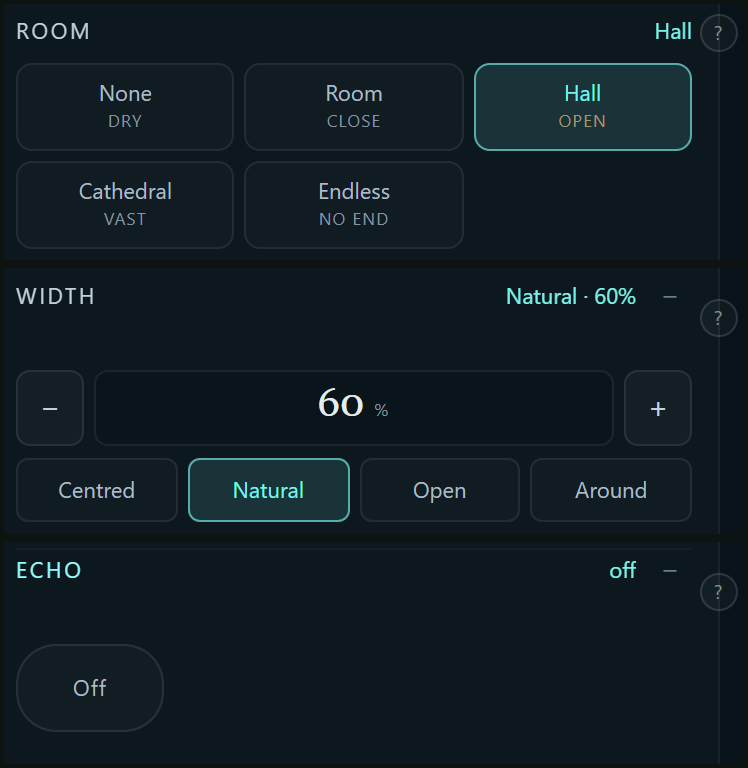
Room & Sway

Acoustic Space
Room & Sway control

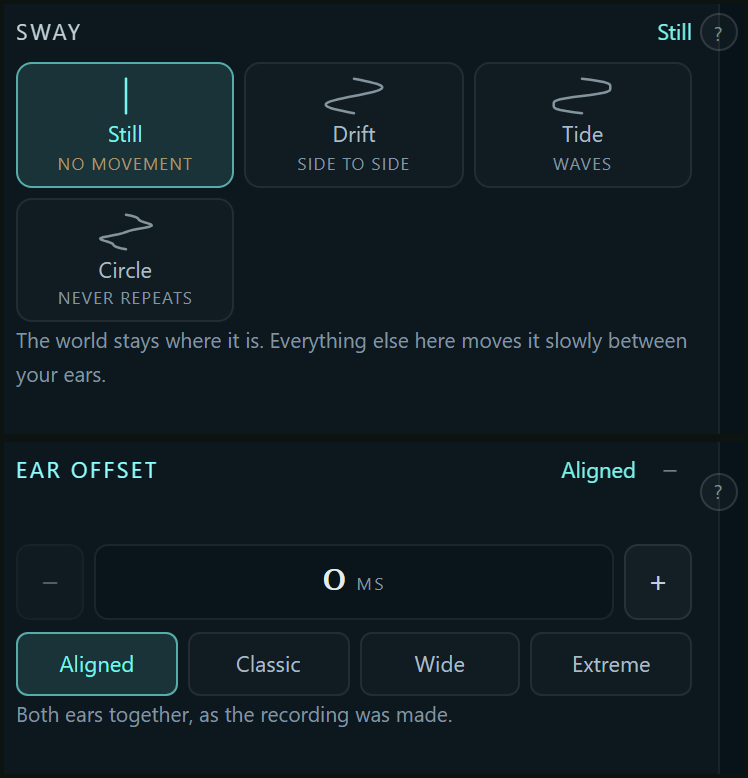
Places your atmosphere inside an acoustic space (Off, Close, Room, Hall, or Vast) and adds Sway (Off, Slow, Gentle, or Drifting) so the sound gently drifts from side to side across the stereo field.

Why it's cool · How it works
Hall and Vast room settings blur sharp acoustic details into smooth ambient washes, while Sway keeps the stereo field gently moving like air currents in a real outdoor space.

Sway & Ear Offset (Stereo)

Psychoacoustics
Sway & Ear Offset (Stereo) control

Uses the psychoacoustic Haas effect (0–30 ms ear delay), Sway modulation, and Chorus to spread mono recordings wide across your stereo headphones.

Why it's cool · How it works
Delaying the signal to one ear by just a few milliseconds tricks the brain into hearing the sound as coming from far outside the head without causing comb-filtering hollow tones.

Dry (Effects Off)

Bypass Monitor
Dry (Effects Off) control

The instant-bypass listening button. Tap Dry to hear your field recordings raw without any reverb, filters, or effects; tap again to snap the full effects rack back on.

Why it's cool · How it works
When sculpting complex effects chains, it's easy to lose perspective on how much reverb or drive you've added. Tapping Dry gives an instant reality check against the clean original sound.
Spice Channel Solo Notes and Harmonic Drift Banner

The outermost ring is home to Spice: rare, delicate solo notes that drift over the harmonic bed. It plays either throughout the cycle or as occasional walk-ups into downbeats, placed at natural acoustic distance.
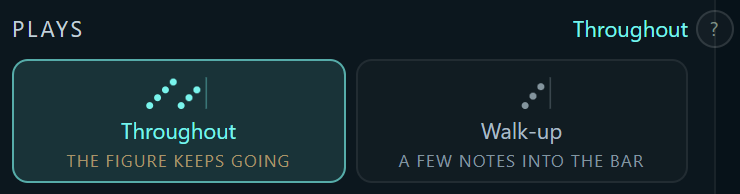
Plays (Throughout vs. Walk-up)

Timing Mode
Plays (Throughout vs. Walk-up) control

Choose when melodic notes play: 'Throughout' sprinkles delicate melody notes across the entire loop, while 'Walk-up' saves the melody notes for the final bar to build anticipation for the next chord cycle.

Why it's cool · How it works
In classical and jazz harmony, a walk-up creates harmonic momentum that pulls the ear forward to the start of the next phrase, making loops feel purposeful and satisfying.

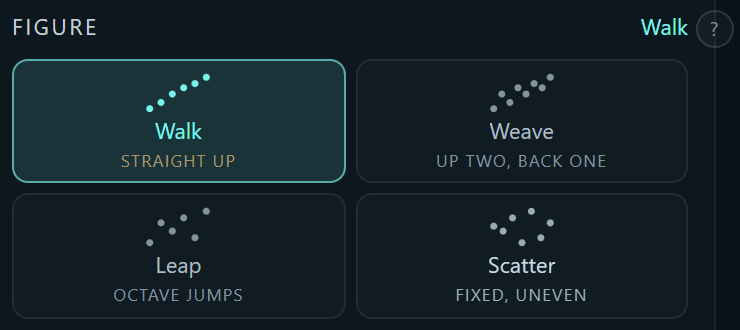
Figure (Walk / Weave / Leap / Scatter)

Melodic Contour
Figure (Walk / Weave / Leap / Scatter) control

The melodic movement style: Walk (steps up and down neighboring notes), Weave (braids alternating pitches), Leap (dramatic octave jumps), and Scatter (spontaneous twinkling droplets).

Why it's cool · How it works
Melodic intervals trigger different emotional responses: stepping notes feel soothing and predictable, while leaps and scatters feel playful, sparkling, and curious.

Spread (Spacing Interval)

Rhythmic Space
Spread (Spacing Interval) control

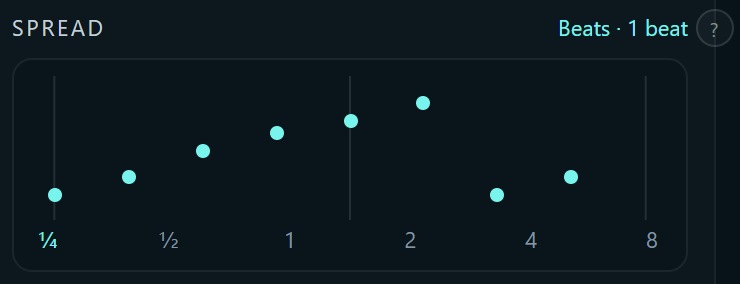
Sets the rhythmic space between melody notes. Pick tight spacing for quick twinkling phrases, or wide spacing so individual notes drop lazily every few seconds.

Why it's cool · How it works
Spacious melodic intervals leave plenty of silence between notes, preventing the melody from cluttering the peaceful background synth pads.

Drift (Human Timing)

Humanize
Drift (Human Timing) control

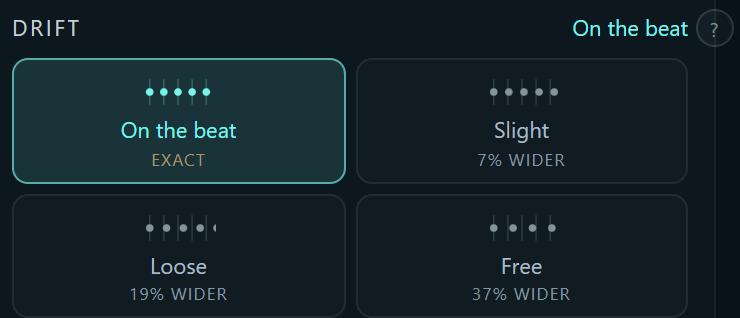
Adds natural human timing variation (0%, 7%, 19%, or 37%). Notes drift slightly ahead or behind the beat instead of firing on rigid computer clockwork.

Why it's cool · How it works
Perfect quantized computer notes sound cold and robotic. Human musicians naturally push and pull timing by a few milliseconds, giving melodies soulful organic life.

Fades (12s Entry Swell)

Volume Ramp
Fades (12s Entry Swell) control

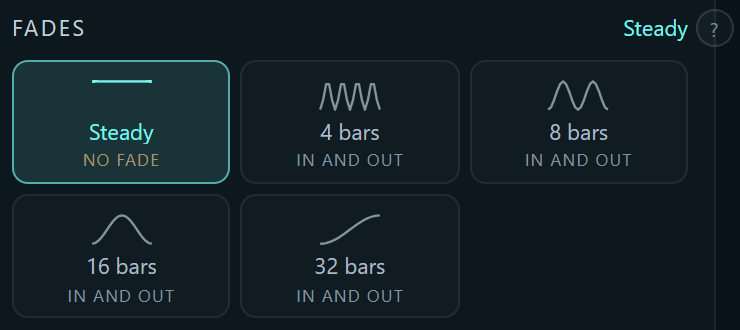
Introduces melody notes with a gentle 12-second fade-in swell when the channel starts up, preventing sudden surprise notes from startling you.

Why it's cool · How it works
Sudden acoustic transients can activate the brain's orienting reflex. Smooth volume ramp-ups let melodies blend in without jarring a calm meditative headspace.

Character & Mix Preset (Pure / Warm / Bell / Glass)

Instrument Voice
Character & Mix Preset (Pure / Warm / Bell / Glass) control

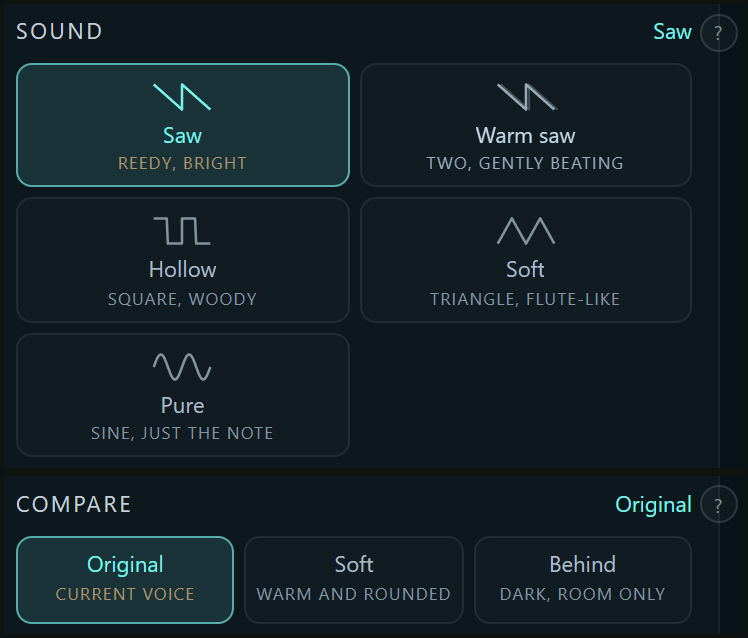
Picks the instrument voice for your melody notes—from Pure, Warm, and Hollow to Bell, Glass, Soft, Bright, or Reedy—plus a quick Mix Preset (Subtle, Gentle, Balanced, Present, or Clear) that sets how forward the notes sit.

Why it's cool · How it works
Pure and Soft voices have almost no upper bite, so they float like distant flutes. Bell and Glass voices add shimmering chimes that sparkle above deep pads without needing to turn the volume up.

Notes From (Harmonic Source)

Key Binding
Notes From (Harmonic Source) control

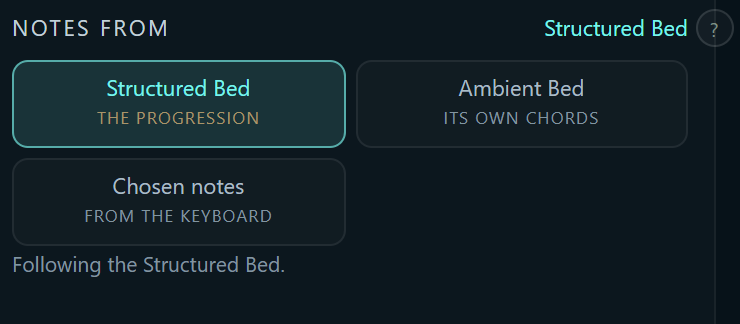
Choose where the melody notes borrow their harmonies: from the Structured Bed, from the Ambient Bed, or directly from the current Carrier key.

Why it's cool · How it works
Binding melody notes to your active chord progression guarantees that every single note generated is always in key and harmonically sweet, with zero sour clashing notes.

Shape, Space & Shimmer (Pluck / Swell / Bell)

Envelope & Space
Shape, Space & Shimmer (Pluck / Swell / Bell) control

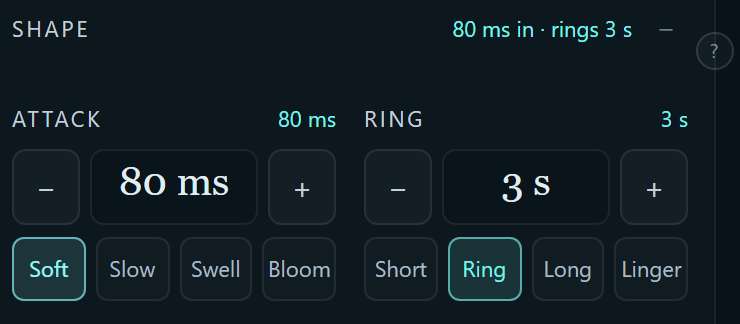
Shapes how each note arrives and trails off: pick Pluck (quick thumb-piano tap), Swell (gentle bow-like fade-in), or Bell (long ringing chime), then set Space (Close to Vast) and Shimmer (Dry to Long) for the echo tail.

Why it's cool · How it works
Plucked notes leave instant silence behind them, keeping the rhythm delicate. Swell and Bell shapes paired with Vast Space and Long Shimmer create glowing halos that float in the air and slowly dissolve into the room.

Distance (Psychoacoustic)

Spatial Depth
Distance (Psychoacoustic) control

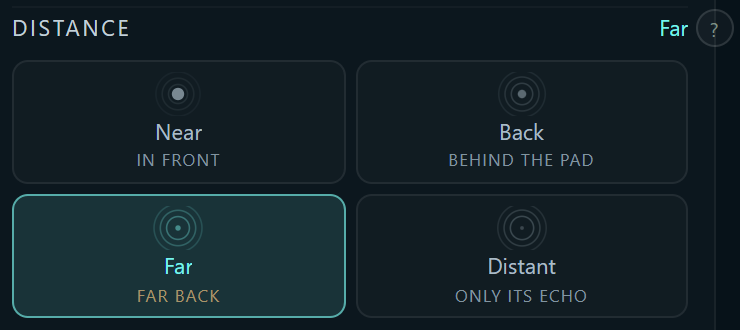
Pushes melody notes into the psychoacoustic distance: Near (intimate and right by your ear), Back (a few feet away), Far (across the room), and Distant (faint notes echoing over the horizon).

Why it's cool · How it works
In the physical world, distant sounds lose high-frequency brilliance and get washed out by air absorption and reverb. Distance recreates these acoustic physics so melodies feel miles away.

Presence (Channel Level)

Mix Balance
Presence (Channel Level) control

A dedicated Presence percentage stepper to fine-tune how softly or clearly the melodic notes sit against your drone beds.

Why it's cool · How it works
Having a dedicated presence control lets you quickly tuck the melody deeper into the mix when reading, or bring it forward when you want to actively listen to melodic themes.